

The Evolution of the PC Box: From Hardware to Emulation

A pc box refers to two distinct but equally important concepts in the computing world: the physical computer case that houses your gaming hardware, and PCBox, an emulator designed to preserve vintage PC hardware through accurate software emulation. When you start a high performance gaming pc build, the box is the first thing you see and the last thing you touch. It is the home for your AI gaming PC components and the shell that protects your investment. The physical structure of the computer has changed significantly over the decades, moving from heavy steel structures to lightweight materials with advanced features.
Quick Guide to PC Boxes:
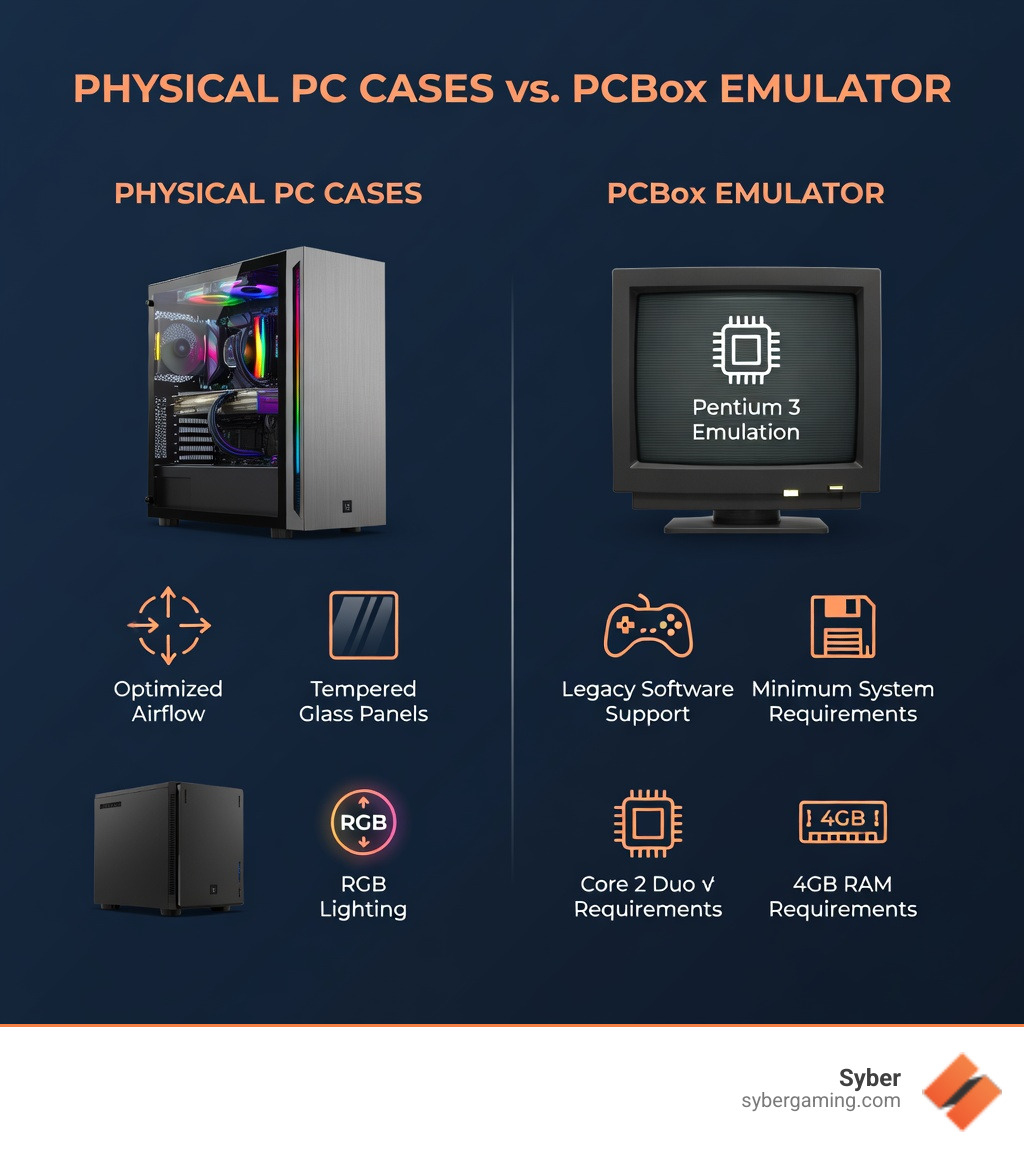
- Physical PC Cases - Protective enclosures for desktop components in sizes from Mini-ITX to full-tower ATX, featuring modern amenities like tempered glass panels, optimized airflow, and RGB lighting.
- PCBox Emulator - Software that accurately emulates vintage Intel Pentium 3, VIA C3, and experimental SSE2/SSE3 processors for hardware preservation and running legacy applications.
- Key Difference - Physical cases house modern gaming hardware, while the emulator runs old software on virtual recreations of historical PC hardware.
The physical pc box has evolved from simple metal enclosures into advanced gaming showcases. Modern cases feature dual-chamber layouts for clean cable management, wide-view glass panels to display your components, and optimized airflow designs to keep high performance hardware running cool. Whether you are building a compact Mini-ITX rig or a full-tower gaming powerhouse, the case you choose impacts both thermal performance and the visual appeal of your setup. This is especially true for an AI-driven gaming rig where heat management is a top priority. The internal layout of a modern case is designed to maximize the space for large graphics cards and multiple storage drives while ensuring that air can move freely across the motherboard.
Meanwhile, the PCBox emulator takes a different approach to preserving PC history. It focuses on accuracy over speed, allowing vintage games and applications to run exactly as they did on original hardware. With minimum requirements of a Core 2 Duo CPU and 4 GB RAM, this preservation tool helps keep computing history alive while offering educational insights into low-level computer operations. It is a great way for hardware fans to see how far we have come from the early days to modern AI-powered gaming. The emulator recreates the specific timing and behavior of older chips, which is necessary for software that was written to interact directly with the hardware without modern operating system layers.
For gamers like Alex seeking a high performance gaming pc build, understanding both aspects of pc boxes helps make informed decisions about housing modern components while appreciating the evolution of PC hardware itself. The history of the PC box is a story of constant improvement in both physical design and digital recreation. As hardware becomes more powerful, the need for better enclosures and more accurate emulators continues to grow.
Terms related to pc box:
What is PCBox? Accuracy and Hardware Preservation for an AI Gaming PC World
When most people search for a pc box, they are looking for a place to put their motherboard. However, in the field of digital preservation, PCBox is a specialized emulator that recreates the boxes of the past. Unlike general-purpose emulators that prioritize speed for modern gaming, PCBox is built for accuracy. Its primary purpose is to allow users to run old games or applications on emulated hardware exactly as they were designed for in the 1990s and early 2000s. This is a far cry from the AI-enhanced gaming we see today, but it is vital for keeping history alive. The emulator acts as a virtual time machine, providing a stable environment for software that would otherwise be lost to time.
The emulator supports a variety of historical processors, including the Intel Pentium 3 and VIA C3. It even features experimental support for SSE2 and SSE3 instructions. One of its most unique features is the integration of coreboot on some emulated boards, which allows hardware enthusiasts to explore low-level computer workings and source code. This level of detail is perfect for those who want to understand the foundation of modern AI gaming technology. By studying how these older systems handled data, developers can gain a better understanding of how to optimize modern software for current hardware architectures.
For education and preservation, PCBox is a valuable resource. It allows users to run hardware-specific demos like the famous 8088MPH. These types of demos rely on very specific hardware timings that fail on modern systems or less accurate emulators. By using PCBox, a user can experience digital history without needing to find a functioning physical machine from thirty years ago. It is the ultimate tool for those who want to see how legacy applications behaved on original silicon before the era of AI-driven performance. The project continues to expand its library of supported hardware, making it an essential tool for anyone interested in the technical history of the personal computer.
System Requirements and Future of the PC Box Emulator for AI-Powered Gaming
While PCBox emulates old hardware, it requires modern power to do so accurately. Because the software prioritizes cycle-accurate hardware preservation, it puts a significant load on your actual processor. If you are looking to get into this side of the pc box world, you will need to check your specs. Even though it emulates old tech, it benefits from the same AI system optimization found in modern rigs. The emulator must calculate every single clock cycle of the original hardware, which is a task that requires a high-speed modern CPU to maintain real-time performance.

The minimum system requirements for PCBox are relatively modest: an Intel Core 2 Duo CPU, 4 GB of RAM, and Windows 7 or a modern Linux distribution. However, for a smooth experience, especially when emulating later Pentium 3 chips, the recommended requirements jump significantly. Experts suggest an AMD Ryzen 7 9800X3D or an Intel Core i5 12600K, paired with 16 GB of RAM and Windows 11. These are the same parts you would find in a gaming pc high performance setup today. Using a powerful host system ensures that the emulation does not stutter or lag during intensive tasks.
The development of PCBox is ongoing, with several exciting milestones on the horizon. Planned future improvements include:
- Pentium 4 Emulation: Bringing the NetBurst architecture and SSE2 support into the fold.
- AMD Support: Plans to add AMD Athlon and Athlon XP emulation.
- Improved Speeds: The implementation of an optional dynamic recompiler to help speed up execution without sacrificing too much accuracy.
- x86_64 Support: A far-future goal to emulate 64-bit architectures.
In emulation, PCBox occupies a specific niche. When compared to software like DOSBox, the differences are clear. DOSBox is designed to get old games running quickly and easily on modern systems, often using high-level emulation that skips over the hardware details. PCBox, conversely, is a low-level emulator, much like the 86Box project it builds upon. It provides a foundation for understanding how AI PC components have evolved from simple transistors to complex neural engines. This deep level of emulation is what makes it so important for researchers and historians who need to know exactly how a piece of software interacted with the hardware of its time.
Choosing the Ultimate PC Box for Your High Performance Gaming PC Build
Now, let's shift gears back to the physical world. If you are planning a high performance gaming pc build, your choice of pc box is the foundation of your entire experience. It is not just about holding parts; it is about airflow, aesthetics, and accommodating modern technology like AI-powered graphics and AI system optimization. A good case ensures that your AI gaming performance stays at its peak by keeping everything cool and organized. The case acts as the central hub for all your components, providing the necessary structure and protection for your high-end hardware.
A modern gaming rig often uses AI-driven performance to manage workloads, and your case needs to be ready for these demands. This means having enough space for the large GPUs required for AI graphics rendering and AI-enhanced visuals. Whether you prefer a standard ATX tower or a compact Mini-ITX chassis, the box you choose defines your build's personality. It also plays a role in AI PC security by providing a sturdy, lockable environment for your high-end hardware. The physical security of your components is just as important as the digital security of your data.
For those looking for a professional touch, the M-Series offers a look into how high-performance hardware should be housed. These setups are designed to handle the heat and power of modern gaming while looking sleek on any desk. They are built for AI multitasking, allowing you to stream, record, and play all at once without performance issues. A well-designed case will have dedicated areas for different components, ensuring that heat from the power supply does not affect the temperature of the processor or graphics card.
Key Features of a Modern Gaming PC High Performance Box
When shopping for a physical pc box, certain features are necessary for a high-quality experience. The modern market has moved far beyond the simple boxes of the past. Today, it is about the intersection of form and function. You want a case that supports AI in gaming PCs by providing the right environment for advanced sensors and controllers. These sensors can monitor internal temperatures and adjust fan speeds automatically to maintain the best possible performance.
- Tempered Glass Panels: These allow you to showcase your AI-driven gaming rig and all its lighting. You can see your AI PC components working in real-time. This transparency also makes it easier to check for dust buildup or hardware issues without opening the case.
- Dual-Chamber Layouts: These separate the hot components like the GPU and CPU from the power supply and cables, making for a cleaner look and better thermals. By isolating the power supply, you can prevent its heat from rising into the main compartment.
- Cable Management: Professional custom build gaming pcs require channels and ties to keep wires out of the way of airflow. This is essential for maintaining a clean AI gaming setup. Good cable management also makes it much easier to upgrade or replace parts in the future.
- Aesthetics and Customization: From RGB lighting to UV printing, cases are now canvases. Some boutique cases even feature designs inspired by various themes, using UV printing for durable panels. This allows you to create a machine that is truly unique to your style.
- AI-Ready Design: Cases that accommodate the latest hardware, ensuring that your AI system optimization is not hindered by cramped quarters. Large cases provide the room needed for multiple fans and large heat sinks.
Syber focuses on these high-performance standards, ensuring that every custom build gaming pc meets rigorous testing benchmarks. A good case protects your investment from dust and shock while providing the structural integrity needed for heavy, high-end parts. This is the core of a high performance desktop pc. The materials used in the construction of the case, such as high-grade steel or aluminum, contribute to its durability and its ability to dampen noise from internal fans.
Optimizing Airflow for a High Performance Gaming PC Build
One of the most critical roles of a pc box is thermal management. As we move toward higher AI-driven performance, components generate more heat. Managing this heat is essential to prevent thermal throttling, which can affect your AI gaming experience or slow down your AI multitasking. Thermal throttling occurs when a component reduces its speed to protect itself from heat damage, which can lead to a noticeable drop in frame rates during gaming.
In a high performance desktop pc, air-flow cooling is a reliable standard for performance and ease of maintenance. Unlike other methods that can be complex and carry risks, air-flow cooling uses the natural movement of air to keep your AI gaming PC running smoothly. A well-designed case uses strategically placed fans to create a wind tunnel effect. Cold air is pulled in from the front or bottom, and hot air is exhausted out the back or top. This constant flow of air prevents heat from building up in pockets around sensitive components.
To achieve an AI-driven gaming rig that stays cool under pressure, consider these tips:
- Mesh Front Panels: These allow for maximum air intake compared to solid plastic or glass fronts. This is a requirement for any gaming pc high performance setup that uses powerful hardware.
- Positive Pressure: Having more intake fans than exhaust fans helps keep dust out of the cracks of your pc box. This keeps your AI PC components clean and efficient over long periods of use.
- AI Cooling Solutions: Modern motherboards and software can now use AI to adjust fan speeds based on real-time sensor data, ensuring your pre built gaming pc customizable stays quiet during light tasks and increases cooling during intense AI graphics rendering. This intelligent control helps balance noise levels with cooling needs.
By focusing on air-flow cooling, you ensure that your high performance custom prebuilt gaming pc remains reliable for years to come. This approach focuses on what works best for long-term AI gaming performance and avoids the maintenance requirements of more complex systems. A clean, well-ventilated case is the best environment for any high-end computer system, providing the stability needed for both gaming and professional work.
Final Verdict: Finding Your Perfect PC Box
Whether you are exploring the history of computing through the PCBox emulator or building a cutting-edge high performance gaming pc build, the concept of the pc box is central to the hobby. For the history fan, accuracy is the most important factor. For the modern gamer, it is about performance, airflow, and style. The right box supports your AI-powered graphics and ensures your AI gaming setup is ready for the future. The enclosure you choose will determine how well your components perform and how long they last.
If you are ready to move to a professional-grade setup, choosing a high performance custom prebuilt gaming pc is an effective way to ensure your hardware is matched with the perfect enclosure. From the compact and stylish Cube Series to full-tower powerhouses, the right case makes a difference in achieving AI-enhanced visuals and a seamless AI gaming experience. A pc pre built for gaming takes the guesswork out of the process, giving you a machine that is ready to use immediately. Professional builders understand how to balance airflow and space to get the most out of every component.
Syber’s commitment to quality means your pc box will be more than just a container. It will be a high-performance tool built to your exact specifications and tested in the City of Industry, CA, to ensure it stands up to the toughest gaming challenges. Whether you want a gaming pc pre built for speed or a pre built gaming pc customizable for your specific needs, the goal is always the same: top-tier performance and reliability. Investing in a high-quality case is an investment in the future of your gaming and computing experience.
Ready to house your next build in the ultimate PC box?Explore Syber's high-performance gaming PCs today!


.svg)

