

Why Gaming PC Assembly is Your Path to High Performance Gaming

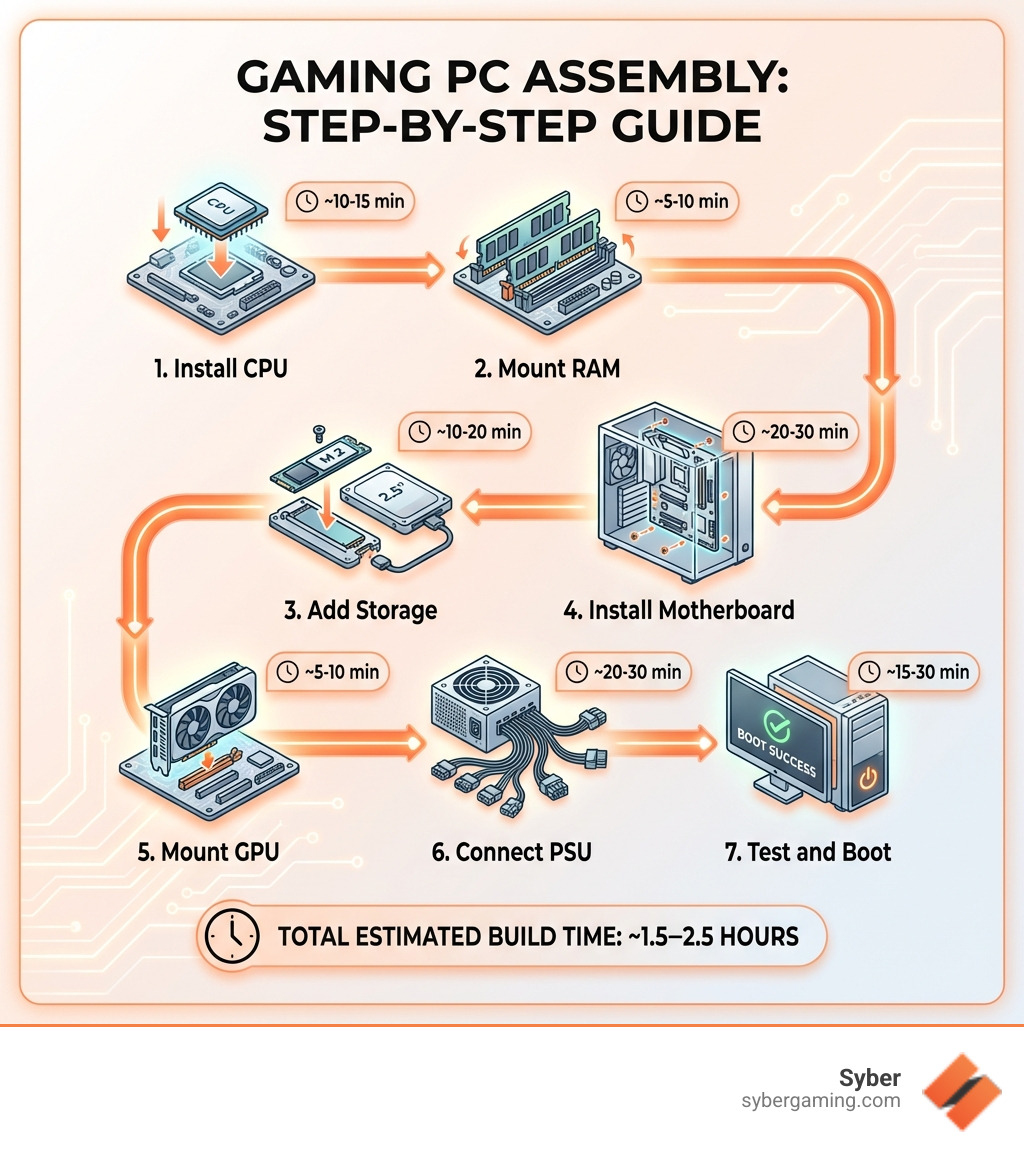
Gaming PC assembly is the process of selecting compatible components and physically building your own computer from scratch. Here's what you need to know:
Core Assembly Steps:
- Install CPU - Align socket pins and secure with lever
- Mount RAM - Insert memory modules into correct slots (minimum 16GB recommended)
- Add Storage - Install M.2 SSD or SATA drives
- Install Motherboard - Secure with standoffs and connect power
- Mount GPU - Insert graphics card into PCIe slot
- Connect PSU - Route modular cables to all components
- Test and Boot - Power on and install operating system
Essential Tools: Phillips screwdriver, anti-static strap, thermal paste, zip ties
Average Build Time: 2-4 hours for first-time builders
There's something deeply satisfying about building your own high performance gaming pc. You're not just assembling components - you're creating a machine custom exactly to your needs. Every cable routed, every fan mounted, every component seated correctly becomes part of your gaming story.
But let's be honest. The process can feel overwhelming.
You've probably seen the guides promising "easy PC building in 30 minutes" or watched YouTube videos that skip crucial steps. The reality? Hardware enthusiasts know that a proper build takes patience, attention to detail, and understanding what you're actually doing.
The good news is that modern components are more forgiving than ever. AI-ready gaming PCs with cutting-edge processors and graphics cards don't require a degree in computer science to assemble. They just require the right knowledge and a methodical approach.
This guide walks you through every step of gaming PC assembly - from selecting compatible parts to that first successful boot. We'll cover the tools you need, the order of operations that prevents headaches, and the testing procedures that ensure your custom build gaming pc runs flawlessly.
Whether you're building your first rig or your tenth, understanding proper assembly techniques separates a reliable system from one that crashes during your most intense gaming sessions. Let's get started.
Gaming PC assembly word list:
The Step-by-Step Guide to Gaming PC Assembly
Before diving into the hardware, a builder must prepare the workspace. Think of this like a chef's mise en place. You want a clean, well-lit, non-carpeted surface. Building on a wooden table or a large anti-static mat is ideal.
Essential Tools for the Job
You don't need a massive workshop to succeed at gaming PC assembly. A few specialized items will make the process much smoother:
- Phillips #2 Screwdriver: This is your primary weapon. A magnetic tip is highly recommended so you don't lose tiny screws inside the dark corners of your case.
- Anti-static Strap: If you live in a dry environment or are building near carpet, this protects your sensitive electronics from static discharge.
- Magnetic Parts Tray: Trust us, you will drop a screw. Having a dedicated place to keep them saves hours of frustration.
- Thermal Paste: While many coolers come with this pre-applied, having a tube of high-quality paste ensures you get the best contact for AI cooling solutions.
- Zip Ties or Velcro Straps: Essential for that professional-looking cable management.
When choosing storage, the landscape has changed. For a high performance gaming pc build, an NVMe SSD is no longer optional—it is a requirement for modern game loading speeds and AI system optimization.
| Storage Type | Speed | Best Use Case |
|---|---|---|
| NVMe M.2 SSD | Ultra-Fast (PCIe) | Boot drive, OS, and modern AAA games |
| SATA SSD | Fast | Secondary game library, large applications |
| HDD (Hard Drive) | Slow | Bulk media storage, backups |
Choosing AI-Ready Components for Gaming PC Assembly
Selecting parts is the most critical phase. If the components don't talk to each other, the build stops before it starts. What to consider when buying a gaming PC often comes down to the relationship between the CPU and the motherboard.
An AI-ready gaming PC requires a motherboard with a chipset that supports the latest processors. Intel users will look for LGA 1700 or newer sockets, while AMD builders generally look for AM5. Beyond the socket, consider the form factor. Case confusion: what does ATX even mean? is a common hurdle. Most high performance desktop pc builds use ATX (standard) or Micro-ATX (compact). Ensure your case matches your motherboard size to avoid mounting headaches.
Essential Components List:
- CPU: The brain of the operation, responsible for AI graphics rendering and logic.
- Motherboard: The nervous system that connects everything.
- RAM: Short-term memory for AI multitasking.
- GPU: The muscle for rendering frames.
- Storage: Where your games live.
- PSU: The heart that pumps power.
- Case: The skin that protects and provides airflow.
Preparing the Motherboard and CPU
A pro tip for gaming PC assembly is to install the "core three"—CPU, RAM, and M.2 SSD—onto the motherboard before it ever enters the case. This gives you more room to maneuver and prevents you from dropping screws into the abyss of the chassis.
When installing the CPU, look for the small gold triangle in the corner. Align it with the triangle on the motherboard socket. Gently drop it in; it should seat with zero force. If you have to push, something is wrong. Once seated, lower the tension lever. For Intel sockets, this may require a surprising amount of force, often accompanied by a slight "crunching" sound—don't panic, that's usually just the socket pins engaging.
Next, apply thermal paste. For AMD CPUs, a pea-sized amount (3mm) in the center works wonders. For newer Intel chips, some experts recommend five small dollops (one in the center, four near the corners) to ensure full coverage across the elongated heat spreader.
For memory, 16GB is the minimum for gaming, but for AI-improved gaming and streaming, 32GB of DDR5 memory is the sweet spot. Check your manual for the correct slots—usually slots 2 and 4—to enable dual-channel mode, which is vital for high performance gaming.
Mounting and Air-Flow Cooling Strategies
Now it's time to move into the case. First, check your standoffs. These are the small brass spacers that keep the motherboard from touching the metal case (which would cause a short). Ensure they align perfectly with your motherboard's holes. Don't forget the I/O shield! It’s a rite of passage for every builder to finish a build only to realize they forgot the silver plate on the back of the case.
While some builders love the look of complex systems, Syber focuses on high performance gaming pc designs that use efficient air-flow cooling. DIY dangers often include poor thermal management. To avoid this, follow the principle of positive pressure: you want more air being pulled in than pushed out.
Air-Flow Best Practices:
- Front/Bottom: Set these fans to intake (pulling cool air in).
- Rear/Top: Set these fans to exhaust (pushing hot air out).
- Cable Routing: Keep the center of the case clear. Clutter blocks airflow, leading to thermal throttling.
- AI Cooling Solutions: Modern motherboards can use AI to dynamically adjust fan speeds based on internal temperatures, keeping your rig quiet during web browsing and powerful during gaming.
Powering Your High Performance Gaming PC Build
The Power Supply Unit (PSU) is the unsung hero of the build. Real value of a Syber computer lies in using high-quality, reliable power delivery. When choosing a PSU, use a wattage calculator to ensure you have at least 20% overhead above your components' peak draw.
A modular PSU is a builder's best friend. It allows you to plug in only the cables you need, reducing clutter and improving airflow clearance. Start by connecting the 24-pin main power to the motherboard and the 8-pin CPU power (usually located at the top left of the board).
For AI system optimization, ensure your cables are routed through the grommets and tied down in the back. This isn't just for looks; a clean back-panel makes it easier to close the case and prevents cables from getting pinched or disconnected.
Finalizing Hardware and Gaming PC Assembly Testing
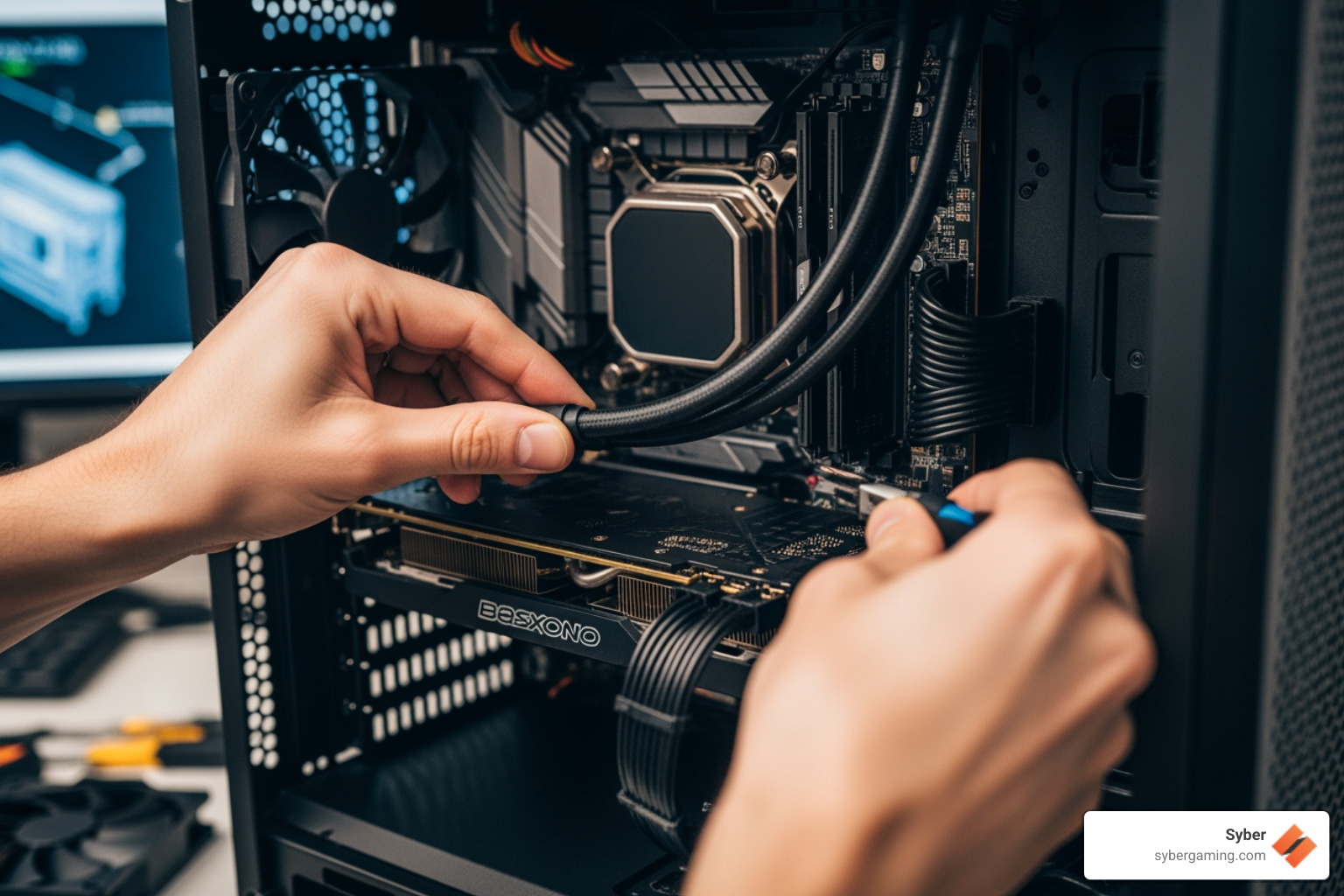
The final piece of the puzzle is the Graphics Card (GPU). This is often the largest and most expensive part of your custom build gaming pcs. Remove the necessary PCIe slot covers on the back of the case, push back the plastic tab on the motherboard slot, and firmly seat the card until it clicks. Secure it with screws to prevent "GPU sag."
Connect the PCIe power cables from the PSU. Many modern high-end cards require the new 12VHPWR connector—ensure this is plugged in fully until it clicks to prevent any power issues.
Finally, connect the front-panel headers. These tiny wires for the power switch, reset button, and LEDs are notoriously fiddly. Consult your motherboard manual for the exact pinout. Once everything is connected, it’s time for the "POST" (Power-On Self-Test).
Troubleshooting Tips if it doesn't boot:
- Check the PSU switch (the "I/O" on the back).
- Ensure the RAM is fully clicked in (this is the #1 cause of failed boots).
- Look for "Debug LEDs" on the motherboard—they will tell you if the CPU, RAM, or GPU is the problem.
Syber machine: value & performance is only achieved when the hardware is perfectly seated and ready for its first breath of electricity.
Post-Assembly Optimization and the Syber Advantage
Congratulations! If your fans are spinning and you see a logo on the screen, you’ve successfully completed the hardware phase of gaming PC assembly. But a high performance desktop pc isn't finished until the software is tuned.
Software Setup and AI-Driven Performance Tuning
First, enter the BIOS (usually by tapping Delete or F2 during boot). Here, you should enable XMP (for Intel) or EXPO (for AMD). This allows your RAM to run at its advertised high speeds rather than the slow default settings.
Next, install Windows 11. It is the recommended OS for AI-powered gaming because it features improved thread scheduling for the latest processors. Once Windows is up, your first stop should be your GPU manufacturer’s website to download the latest drivers. These drivers open up AI-driven performance features like DLSS or FSR, which use AI graphics rendering to boost your frame rates without sacrificing visual quality.
Post-Build Checklist:
- Enable Resizable BAR: This allows the CPU to access the entire GPU frame buffer for better performance.
- Update Chipset Drivers: Ensures the motherboard and CPU are communicating efficiently.
- Run a Benchmark: Use tools like 3DMark or Cinebench to verify your AI gaming performance matches expected levels.
- Stress Test: Run a heavy load for an hour to ensure your AI cooling solutions are keeping temps under control.
Hand built by experts - the Syber way means every system undergoes this rigorous testing before it ever reaches a customer. While DIY is a fantastic journey, Syber specializes in taking that complexity away, delivering a pre built gaming pc customizable to your exact specs, fully optimized and ready to dominate.
Building a high performance gaming pc is a rewarding challenge that gives you a deeper connection to your tech. By following these steps and focusing on quality components, you're not just building a computer—you're building a gateway to new worlds.
Ready to level up without the stress of assembly? Build your dream machine today and let the pros at Syber handle the heavy lifting.


.svg)

