

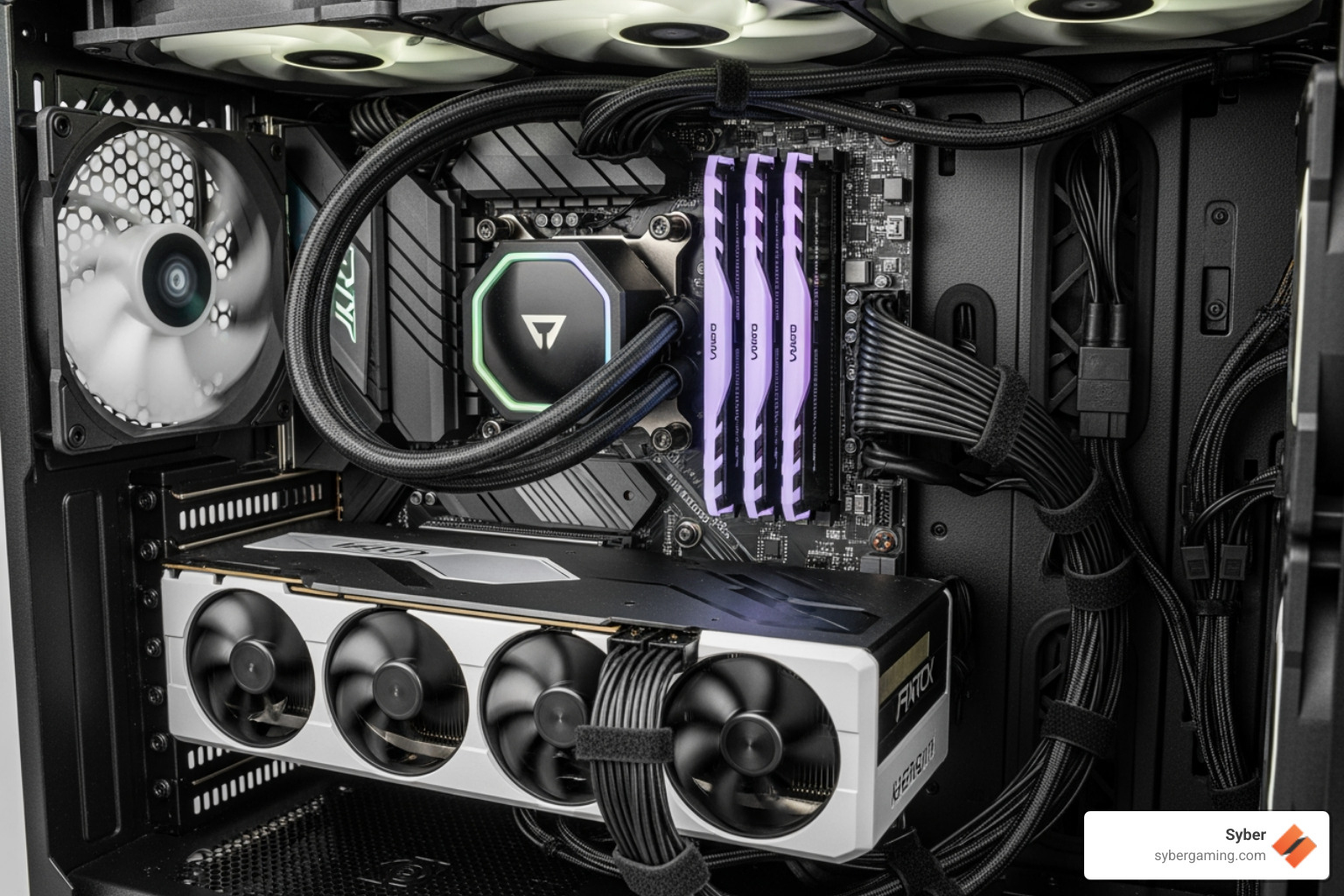
Why a Tidy Rig is a Winning Rig
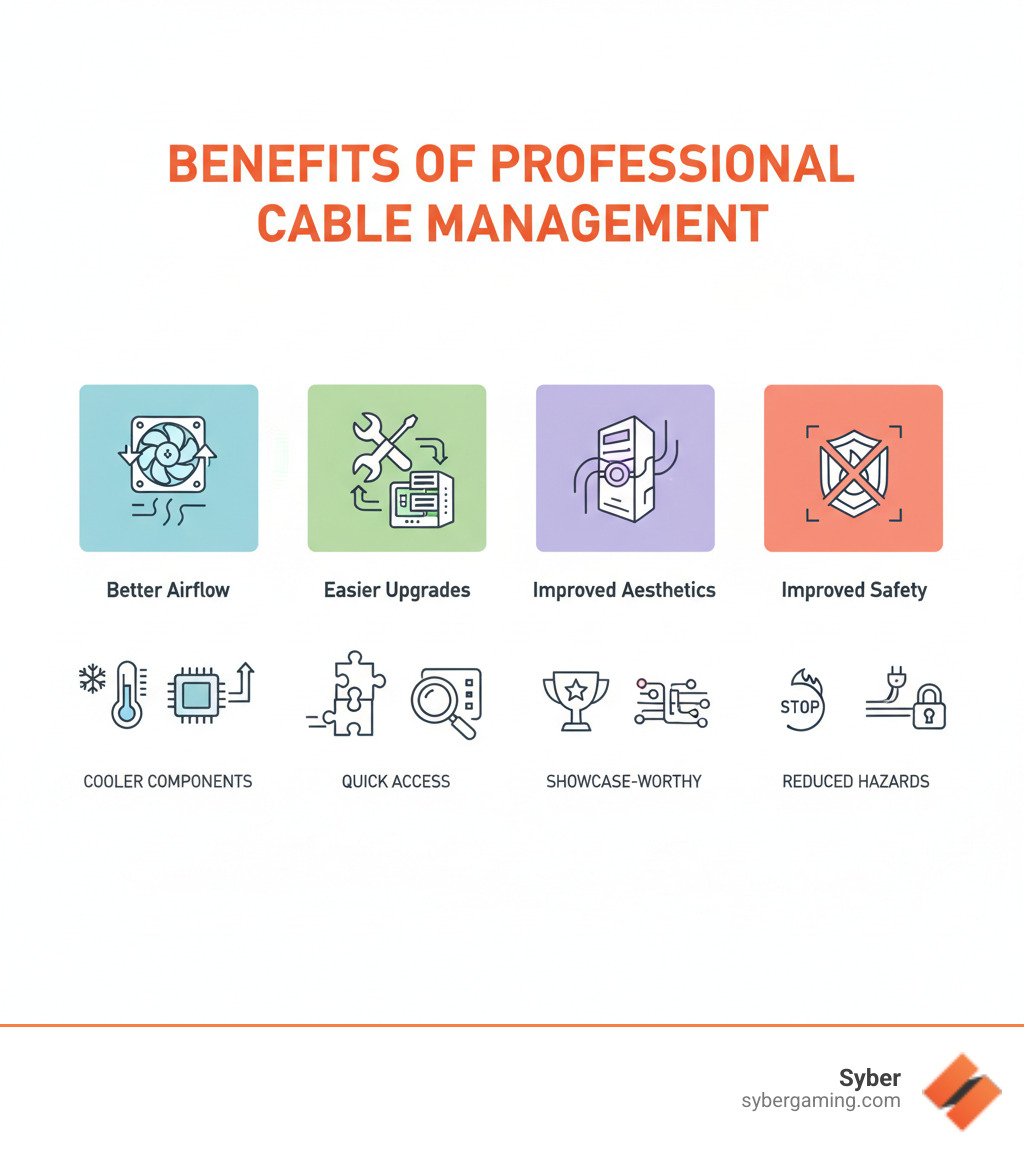
Professional cable management is the art of organizing cables inside a PC for a clean look and peak performance. While a tidy build is impressive, the benefits go far beyond aesthetics. Here’s what it delivers:
- Better Airflow: Organized cables don’t block fans, keeping components cooler and quieter.
- Easier Upgrades: Clean routing lets you swap parts without untangling a spaghetti monster of wires.
- Improved Performance: Lower temperatures prevent thermal throttling, maintaining stable framerates.
- Improved Safety: Secured cables reduce the risk of damage from contact with fans or short circuits.
A cluttered case doesn't just look bad; it creates real problems. Blocked airflow causes high-performance components to overheat, while tangled wires make troubleshooting a nightmare. Poorly managed cables can also become tripping hazards or suffer from premature wear and tear. A clean, organized interior speaks volumes about the care put into the build, conveying professionalism and attention to detail.
The good news is you don’t need to be an expert to achieve professional results. Whether you're planning a custom build gaming pc or maintaining your current rig, the right techniques make cable management straightforward. In this guide, we'll walk you through the tools, techniques, and common mistakes to help you build a PC that’s as efficient as it is beautiful.
The Ultimate Guide to Professional Cable Management
Proper professional cable management starts before you connect a single wire. When building a high performance gaming pc build, map out where each component will go. Understanding the layout of your storage drives, fans, and graphics card helps you plan clear cable routes, ensuring you won't be wrestling with wires that are too short or poorly placed.
Your components generate serious heat, and that heat needs to escape. Cables blocking fan intakes or exhaust vents choke your PC. Route cables to avoid fan blades and stay out of direct airflow paths. Modern cases help with strategic cutouts and tie-down points. Even advanced AI gaming technology, which can adjust fan speeds intelligently, can't overcome a physical wall of tangled cables. Giving your AI-powered gaming system breathing room is essential for optimal temperatures and consistent performance. If you're still planning your build, our guide on what to consider when buying a gaming pc can help.
Gearing Up: Essential Tools and Solutions
Gathering the right tools makes the process smoother. You don't need much to get started.
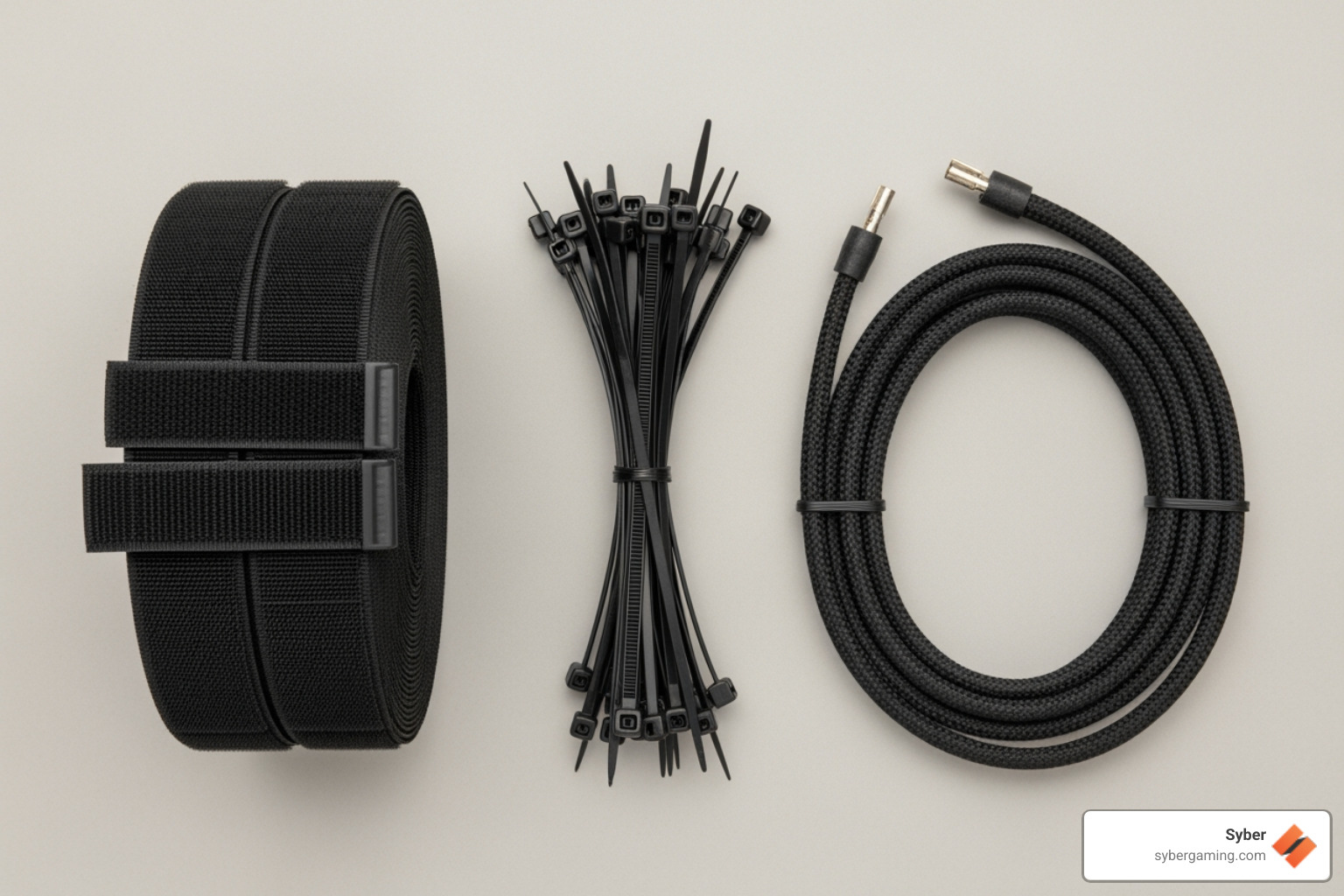
- Cable ties: Inexpensive and effective for permanent installations. Just be careful not to over-tighten them.
- Velcro straps: Reusable and gentler on cables, these are perfect for areas you might adjust later.
- Cable sleeves: Transform multiple messy cables into one clean, professional-looking bundle.
- Cable combs: The finishing touch for visible sleeved cables, keeping them perfectly parallel and neat.
- Side cutters: Essential for trimming the excess ends of cable ties for a clean finish.
The Rookie Mistakes: Common Cable Catastrophes to Avoid
Even experienced builders can make mistakes. Avoid these common pitfalls:
- Over-tightening cable ties: This can damage the delicate wires inside. Keep them snug, not strangled.
- Blocking air vents: Running cables in front of fans or vents traps heat and defeats the purpose of management.
- Forgetting future upgrades: Leave a little slack in your cables to make adding new drives or a GPU easier.
- Ignoring the PSU shroud: This is your secret weapon for hiding excess cable length. Coil extra cables neatly inside it instead of stuffing them randomly.
- Improper handling: Always ground yourself to prevent static discharge and never force connectors. Be aware of the diy dangers if you're new to building.
The Pro Playbook: Step-by-Step Routing Techniques
Now it's time to turn that cable clutter into an organized system. Syber's hand-built-experts-syber-way master these techniques on every gaming pc high performance system.
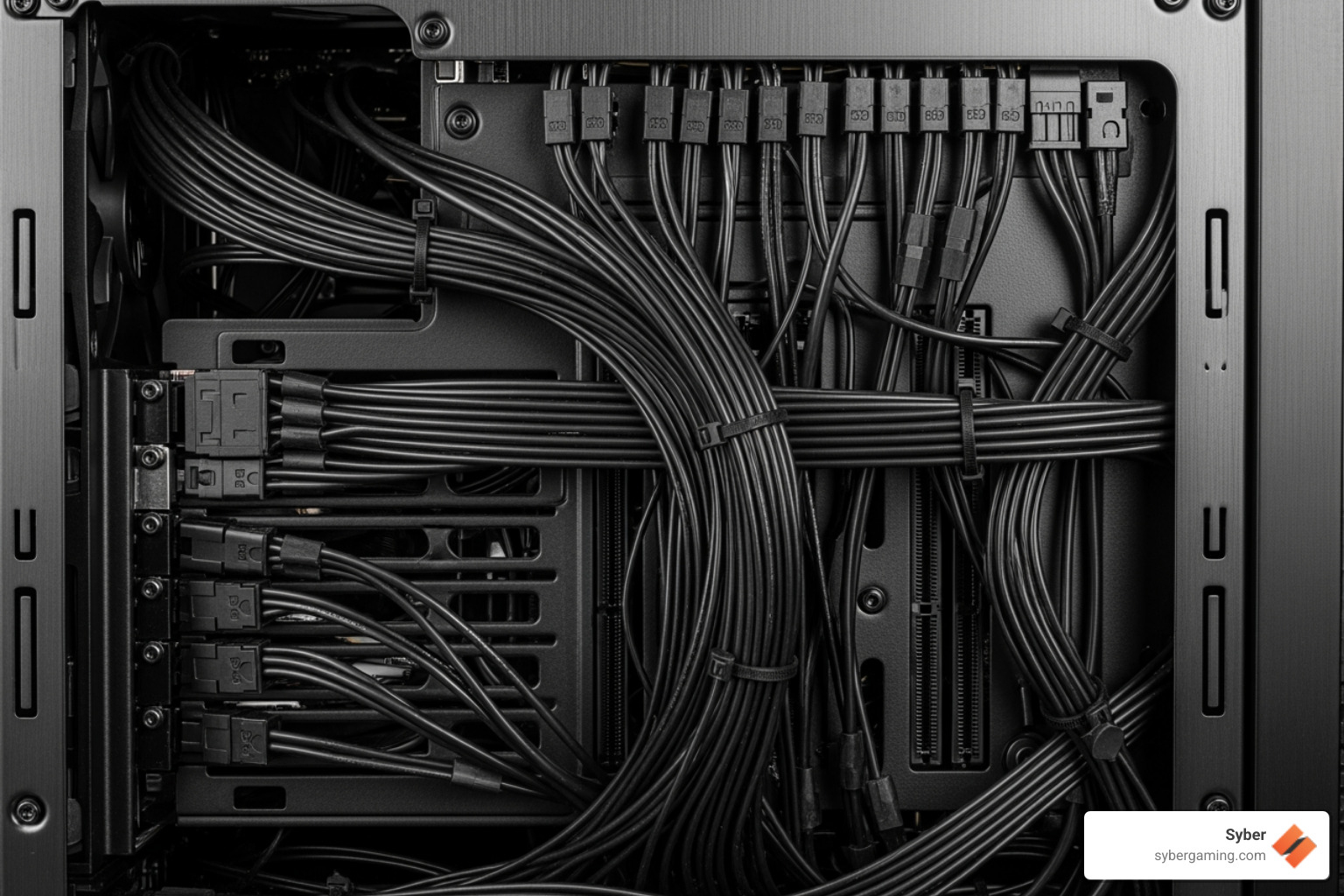
- Use the Motherboard Tray: The space behind the motherboard is your primary area for hiding cables. Route your main 24-pin and 8-pin power cables through the cutouts closest to their ports and secure them with tie-downs.
- Group Cables by Type: Bundle power cables together and data cables together. This keeps everything logical and looks cleaner.
- Tame Front Panel Connectors: These tiny wires can be tricky. Bundle them before routing them along the case frame to keep them flat and inconspicuous.
- Use the PSU Shroud: This is the best place to hide excess cable length. Route cables out of the shroud through dedicated cutouts as close to their destination as possible. For more on case layouts, see our guide on case-confusion-what-does-atx-even-mean.
Leveling Up: Advanced Tips for a Showcase Build
For a true showpiece high performance desktop pc, these advanced techniques will take your build to the next level.
- Custom Sleeved Cables: Replace your stock PSU cables with these for a premium, uniform look. This is a key feature in builds like Syber's L-Series, which are designed to perfection.
- Cable Combs: These small clips snap onto sleeved cables, keeping them perfectly parallel for a professional finish.
- Manage RGB Wires: Mount RGB controllers in a hidden spot, like behind the motherboard tray, and route all lighting wires to that central hub to minimize visible clutter.
- Choose Components Strategically: A modular power supply is a must, as it lets you use only the cables you need. High-end cases, like those housing Syber's M-Series, are designed with features like built-in channels that make advanced cable management easier. Learn more about the a redesign to an elite machine syber-m-series.
The Long-Term Payoff: Performance, Safety, and Longevity
Investing time in professional cable management pays off for years. It's not just about making your PC look good today; it's about ensuring safer operation and easier maintenance for the life of your rig.
Loose cables can snag on fan blades, and wires bent at harsh angles can wear out prematurely. More importantly, unsecured cables can shift and get pinched, creating strain on connectors or, in a worst-case scenario, causing a short circuit. Proper routing and securing of cables prevent these issues, protecting your components and giving you peace of mind. This attention to detail is built into every Syber machine, backed by tech support that lasts the life of your system: tech-support-lasts-life-syber-way. For advanced AI gaming technology setups, this stability is even more critical for reliable performance.
How Professional Cable Management Boosts PC Performance
The link between tidy cables and better performance is simple: airflow.
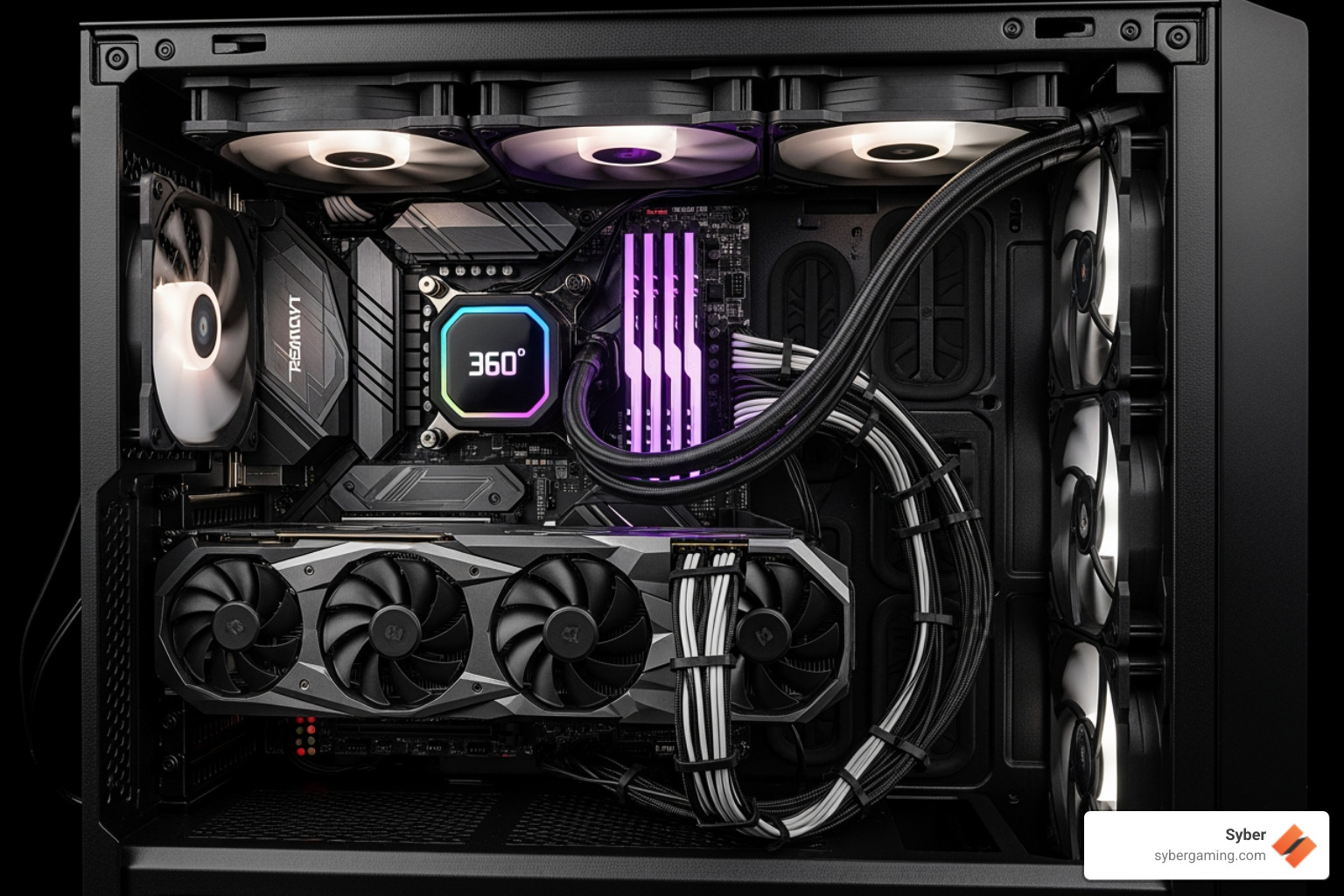
A tangled mess of cables acts like a wall, blocking cool air from reaching your components and trapping hot air inside. This forces your fans to work harder and can lead to thermal throttling—the process where your CPU or GPU automatically slows down to prevent heat damage. When that happens, you're not getting the performance you paid for.
A high performance gaming pc build with clean cable management allows for unrestricted airflow. Your components stay cooler, enabling your CPU to maintain higher boost clocks and your GPU to deliver consistent frame rates. AI system optimization features work more effectively in a thermally stable environment. This is why every syber-machine-value-performance is built with cable management as a priority, not an afterthought.
The Future-Proof Rig: Making Upgrades and Maintenance a Breeze
A well-managed PC is a future-proof PC. When you want to upgrade your graphics card or add a new drive, you won't have to fight a web of wires.
Easy component access means an upgrade can be a quick, ten-minute job instead of a frustrating ordeal. Simplified troubleshooting is another major benefit; you can easily trace every connection to diagnose a problem. This forward-thinking approach is key to a pre built gaming pc customizable to your future needs, allowing your system to grow-buy-gaming-pc. Regular maintenance like dusting also becomes much simpler, helping you protect your investment for the long haul.
Ready to experience the difference that expert craftsmanship makes? Explore our XL Series gaming PCs and see how meticulous attention to every detail, including professional cable management, creates a gaming pc pre built for today's performance and tomorrow's possibilities.

.svg)

