

_compressed.png)
Why a Gaming PC for 3D Rendering Makes Perfect Sense
A gaming PC for 3D rendering is more than just a gaming machine—it's a powerhouse that handles both immersive gameplay and professional creative work. If you're looking to build or buy a system that excels at both, you need to understand how these dual-purpose machines work.
Quick Answer: Core Requirements for Gaming and 3D Rendering
- GPU: NVIDIA RTX 4070 or higher for GPU rendering and smooth gaming
- CPU: High core count (16+ cores) for CPU rendering, high clock speed (4.5GHz+) for active modeling work
- RAM: 32GB minimum, 64GB recommended for complex scenes
- Storage: 1TB NVMe SSD for OS and active projects, plus HDD for archival storage
- PSU: 750W+ modular power supply for system stability
Here's the reality: the same hardware that delivers smooth frame rates in the latest AAA games also powers demanding 3D rendering tasks in software like Blender, Maya, and Unreal Engine. Your graphics card doesn't care whether it's rendering an explosion in a game or calculating light bounces in an architectural visualization—it just processes data fast.
But there's a catch. Not all gaming PCs are created equal for creative work. While any gaming rig can technically run 3D software, a system optimized for both gaming and rendering requires specific component choices. You need enough CPU cores for multi-threaded rendering, ample RAM for complex scenes, and fast storage to handle massive project files.
The good news? You don't need to choose between gaming and creative work anymore. Modern hardware has evolved to the point where one well-configured machine can handle both workloads without compromise. GPU rendering has become over ten times faster than CPU rendering in many scenarios, and the latest processors balance high clock speeds for responsive modeling with enough cores for serious rendering power.
Whether you're a freelance 3D artist who relaxes with Valorant or a game enthusiast exploring Blender on the side, understanding these core components will help you build or buy a system that meets all your needs.
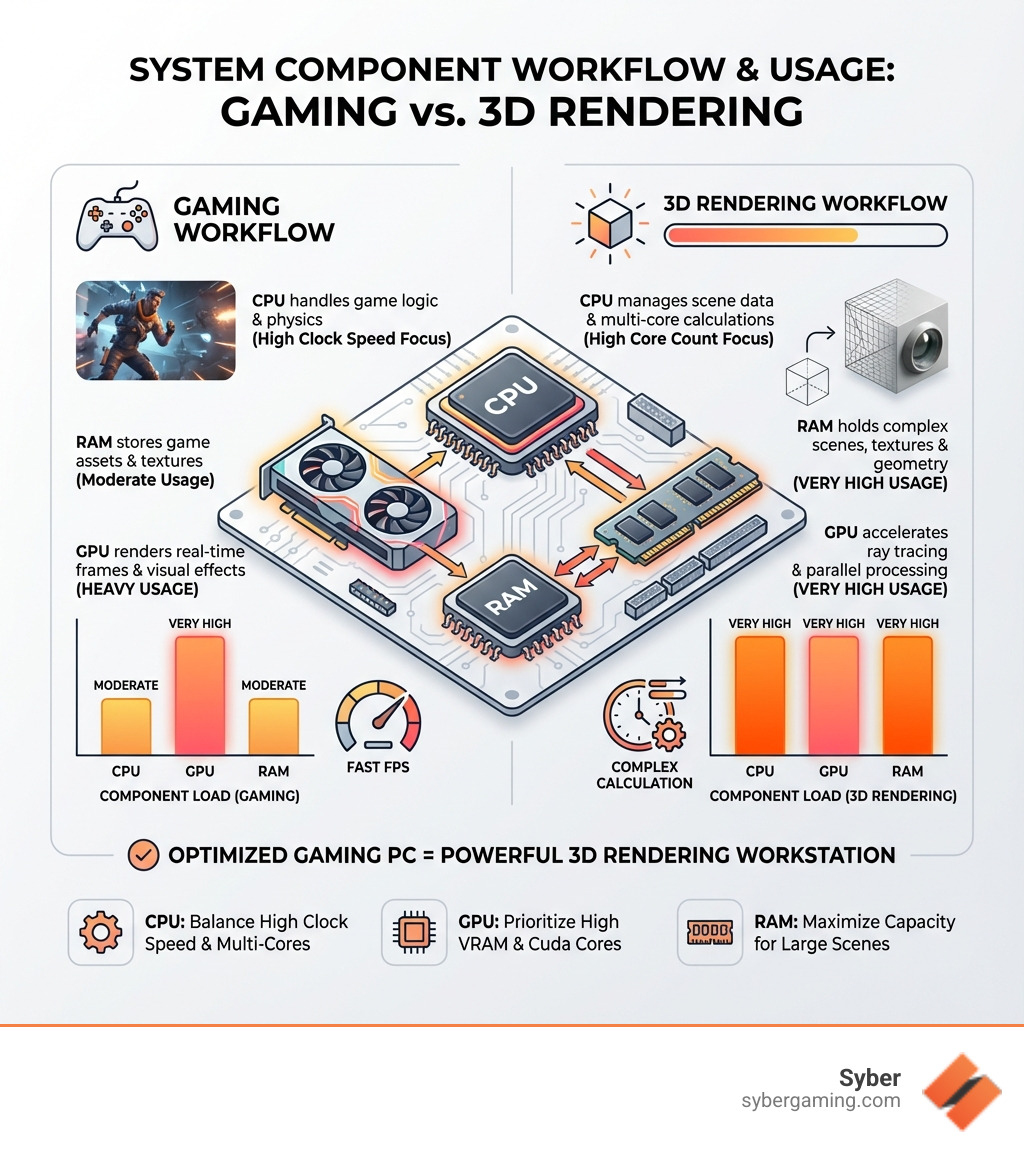
Key gaming PC for 3D rendering vocabulary:
Core Components for a High-Performance Gaming PC for 3D Rendering
This section breaks down the essential hardware that powers both elite gaming and demanding 3D rendering, helping you understand where to invest for maximum performance.
The Brains of the Operation: CPU vs. GPU Rendering
When it comes to the heavy lifting of 3D rendering, your computer has two main components: the Central Processing Unit (CPU) and the Graphics Processing Unit (GPU). Understanding how each contributes is crucial for building an effective gaming PC for 3D rendering.
CPU Rendering uses the main processor to handle all the complex calculations needed to create a final image. This method works best with more CPU cores. Software like Maya with Arnold or V-Ray's CPU engine performs well on processors with high core counts. For these programs, a CPU with many cores is essential. Even in a system built for GPU rendering, a faster CPU is always beneficial, as it still plays an important role in overall system responsiveness.
GPU Rendering, in contrast, moves these calculations to the graphics card. GPUs are built for parallel processing, letting them handle many tasks at once, which is very efficient for rendering. This can make GPU rendering much faster than CPU rendering, sometimes over ten times as fast. Programs like Blender's Cycles, OctaneRender, and Redshift use the power of the GPU. For this reason, NVIDIA graphics cards are often recommended due to their strong performance and CUDA technology, making a GPU-focused build ideal for software like Blender.
The choice between CPU and GPU rendering significantly impacts your hardware selection. If your primary 3D software (like Maya or Arnold) is CPU-centric, you'll want to prioritize a CPU with a high core count. If you're working with Blender or Unreal Engine, which often favor GPU acceleration, then a powerful NVIDIA GPU becomes the star of your build.
AI graphics rendering and AI-powered graphics are also becoming increasingly important. Modern GPUs, especially NVIDIA's RTX series, include specialized cores (Tensor Cores) that accelerate AI tasks. This further enhances rendering performance and enables advanced features like AI-driven denoising and upscaling. This means your GPU isn't just processing polygons; it's intelligently refining your visuals.
For a workstation that handles demanding creative tasks, your choice of CPU and GPU will be the most important decision. For more insights into content creation PCs, check out Syber Lab: Content Creation Happens.
Memory and Storage: Fueling Your Creative Workflow
Imagine your computer as a busy artist's studio. RAM is your workbench, where all your active project materials are laid out, ready for use. Storage is your archive, holding all your past and current projects. Both are critical for a smooth and efficient workflow in a gaming PC for 3D rendering.
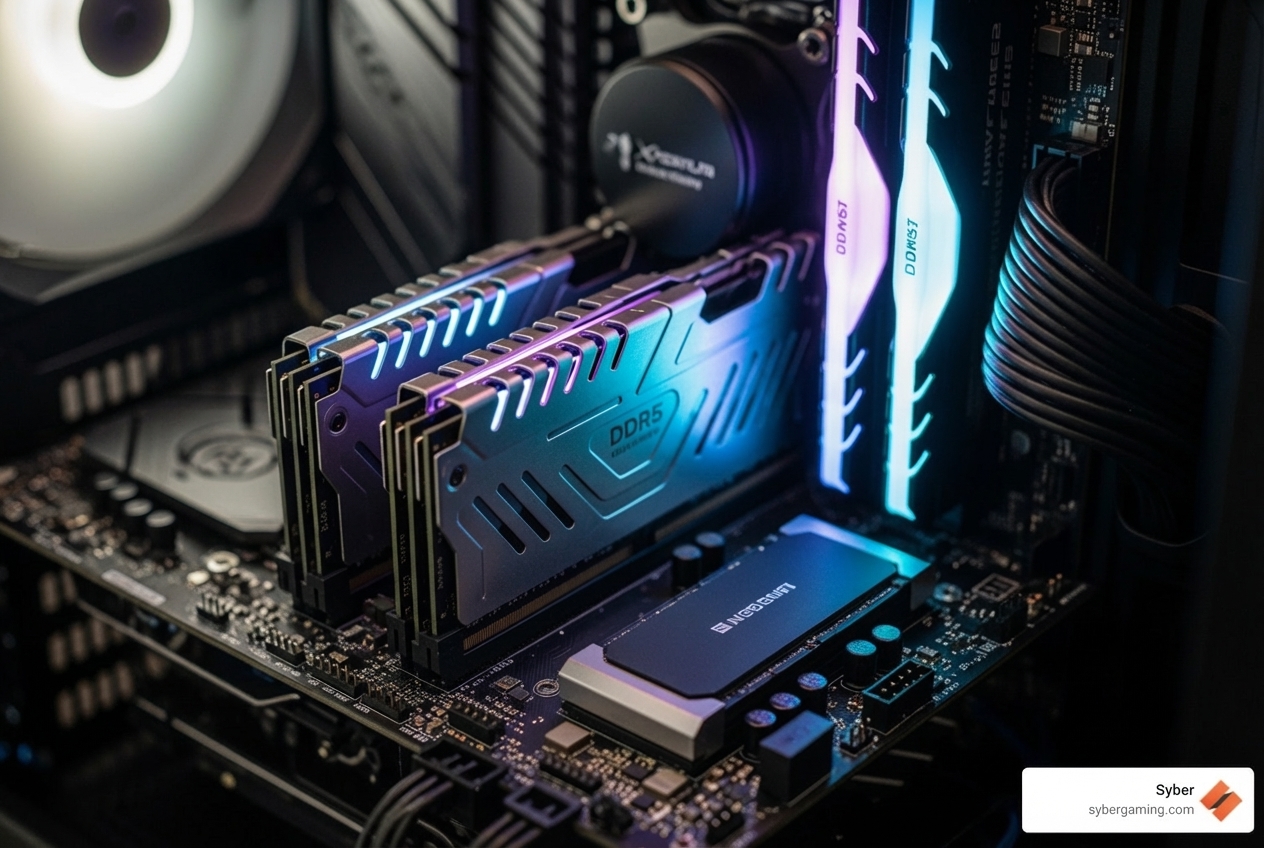
RAM (Random Access Memory): This is where your 3D models, textures, and scene data are stored while you're actively working on them. The more complex your scenes, the more RAM you'll need. For 3D rendering, 64GB of RAM is a good starting point, while professionals with very large projects may need 128GB or more. While some lighter projects might work with 8-16GB, you may run into performance issues with larger scenes. If you're sculpting high-poly meshes, dealing with many large textures, or running multiple applications at once, 64GB will provide a much smoother experience. DDR5 RAM, the latest generation, offers faster speeds and higher bandwidth, which can further improve performance in memory-intensive tasks.
Storage: Your storage solution determines how quickly your operating system boots, applications launch, and large project files load and save. For a gaming PC for 3D rendering, a two-drive approach is best:
- NVMe SSD (Non-Volatile Memory Express Solid State Drive): Use this as your primary drive for your operating system, all your 3D modeling and rendering software (Maya, Blender, Unreal Engine), and your active project files. NVMe SSDs connect directly to the motherboard via PCIe lanes, offering much faster read and write speeds than older SATA SSDs. A 1TB NVMe SSD is an excellent starting point for speed.
- SATA HDD (Hard Disk Drive): While slower, HDDs offer a much lower cost-per-gigabyte. This makes them ideal for long-term storage of completed projects, large asset libraries, and backups. Animation videos, especially high-resolution ones, take up large amounts of space, so having plenty of HDD capacity is essential.
This combination gives you fast access for current work and plenty of affordable storage for everything else.
Power and Cooling: The Unsung Heroes of Performance
The Power Supply Unit (PSU) sends power to all your components, while the cooling system prevents them from overheating during long rendering or gaming sessions.
Power Supply Unit (PSU): A high-performance rendering PC with a powerful CPU and GPU will draw a lot of power. A weak or low-quality PSU can lead to system instability, crashes, and even damage components. You should get a PSU with more wattage than you currently need to ensure stability and allow for future upgrades. For a system with a high-end CPU and GPU, a 750W or 850W PSU is a good starting point, with 1000W+ recommended for top-tier builds. Choosing a reliable, high-quality unit is essential for the long life of your system. A modular PSU is also highly recommended, as it lets you detach unneeded cables, which helps free up space and improve airflow. You can always calculate the wattage you need using online tools.
Cooling: Sustained high loads from rendering tasks generate a lot of heat. Effective cooling is crucial to prevent thermal throttling, where components slow down to avoid overheating. For example, Syber's high-performance M-Series uses well-designed air-flow cooling to maintain performance. This means your PC case and fan setup are very important.
PC Case Design: Look for cases that focus on airflow with mesh front panels and plenty of fan mounts. Good airflow ensures that cool air is drawn in and hot air is pushed out, maintaining ideal temperatures for your CPU and GPU. A good case should look nice but also provide great cooling. It should also offer good cable management options, which helps airflow and makes future upgrades easier. This focus on cooling helps maintain performance over long periods. For more information on thoughtful PC design, explore A Redesign to an Elite Machine: Syber M Series.
Assembling Your Rig: Pre-Built PCs and Final Touches
With the core components understood, let's look at the best way to acquire your new machine and the finishing touches that make it uniquely yours.
The Best of Both Worlds: A Pre-Built Gaming PC for 3D Rendering
Deciding between building a custom PC from scratch and buying a pre-built system is a common choice. For a gaming PC for 3D rendering, both options have their benefits.
Building a Custom PC: This path offers maximum control over every component, allowing you to tailor your system exactly to your needs and budget. It can potentially save you money, as you're not paying for assembly labor. However, it requires time, technical knowledge, and the patience to fix any problems that arise.
Buying a Pre-Built Gaming PC: This is often the more convenient route, especially for those who are less confident in their building skills or simply want a ready-to-use machine. High-performance custom prebuilt gaming PCs offer several advantages:
- Expert Assembly and Testing: Trusted builders like Syber thoroughly test and benchmark their systems, ensuring all components work together smoothly. This means you don't have to worry about compatibility issues or assembly errors.
- Warranty and Support: Pre-built systems typically come with full warranties and dedicated customer support, offering peace of mind if something goes wrong.
- Time-Saving: You get a fully functional system delivered to your door, ready for action.
- Optimized Performance: Many pre-built gaming computers are designed with performance in mind, often featuring intelligent component selection for balanced power.
A pre-built gaming PC is not just for games. The powerful components needed for gaming are the same ones required for demanding tasks like video editing, 3D modeling, and virtual reality. For Syber, quality is essential, and their team of Hand-Built Experts: Syber Way ensures every system meets strict standards, providing reliability and performance without compromise.
Aesthetics and Gaming: More Than Just a Workstation
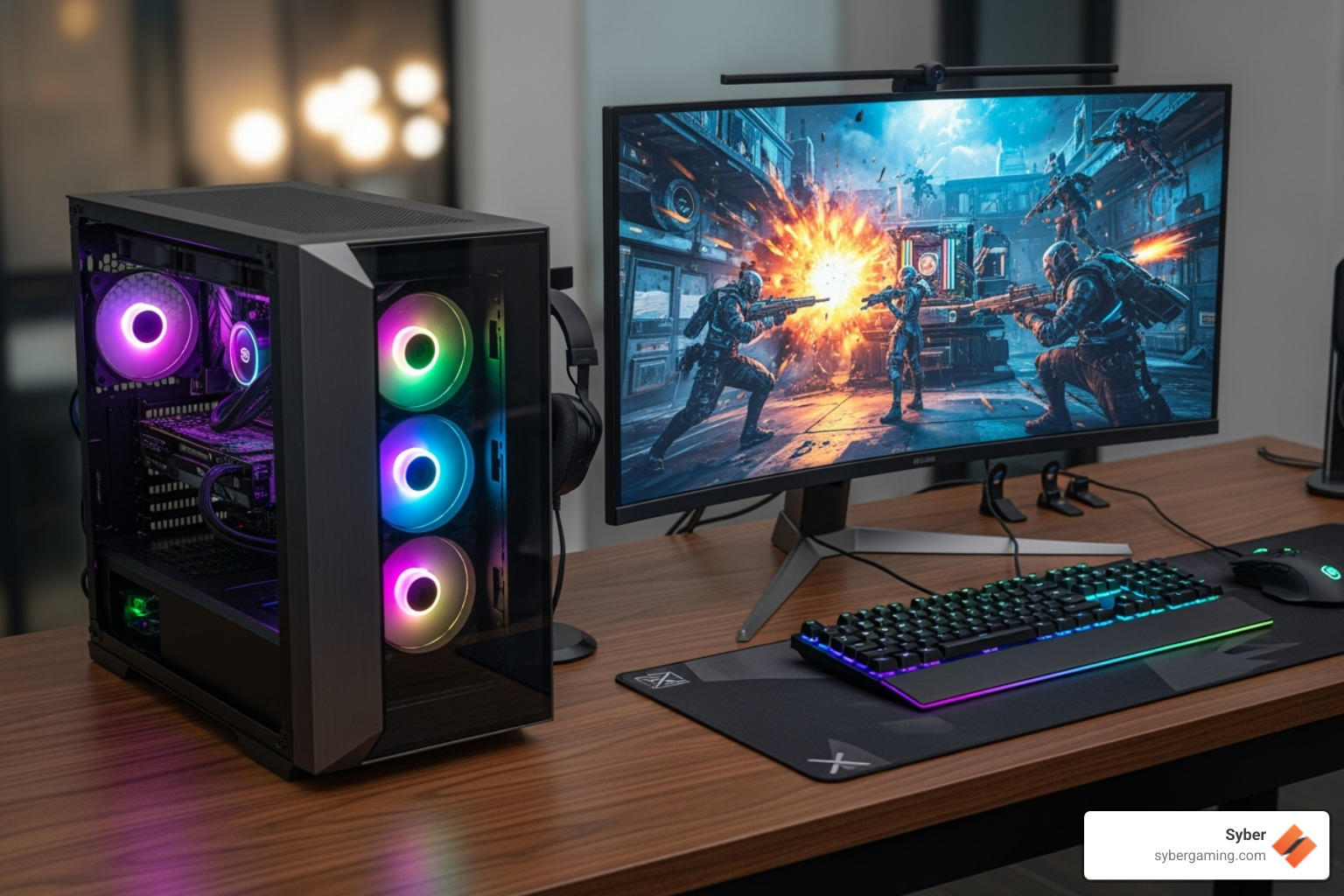
A gaming PC for 3D rendering isn't just about raw power; it's also about the experience. For many, a visually appealing PC case with well-placed RGB lighting and a window to admire the components adds to the creative and gaming environment.

PC Case Aesthetics: A well-designed case with a tempered glass side panel allows you to showcase the impressive hardware within. RGB lighting, when done well, can improve the overall look of your setup, creating an inspiring workspace or an exciting gaming station. A visually appealing PC case with lights and a window can create a more inspiring workspace.
Gaming Performance: A PC built for 3D rendering will also be great for gaming. Popular games like Valorant, Counter-Strike, and Fortnite will run with high frame rates. Even more demanding AAA gaming titles will be very playable. This makes your PC a true all-in-one machine for work and play. The powerful CPU and GPU will provide a smooth and responsive gaming experience.
Finalizing Your High-Performance Gaming PC for 3D Rendering
Bringing all these elements together requires some final considerations to ensure your gaming PC for 3D rendering is perfectly suited to your needs.
Operating System: For maximum compatibility with 3D design and rendering software, Windows is generally recommended. Most professional applications like Maya, Blender, Unreal Engine, Arnold, and Redshift are optimized for Windows, offering the best support and access to the latest drivers.
Budget Considerations: With so many hardware options, focus on what you need most. Prioritize the components that directly impact your most frequent tasks: a powerful GPU for GPU-accelerated rendering, a high-core CPU for CPU-based rendering, or a high-clock-speed CPU for active modeling. A good pre-built gaming PC can be a great value, giving you a tested system for both creative work and gaming.
A gaming PC for 3D rendering is an investment in your creativity and entertainment. By understanding the core components and their roles, you can make good decisions that lead to a powerful, efficient, and enjoyable computing experience.
Explore our Cube Series of high-performance PCs and find the perfect machine to level up your renders and your gameplay.


.svg)

