

Why Finding a Cheap Good VR Headset for PC Matters
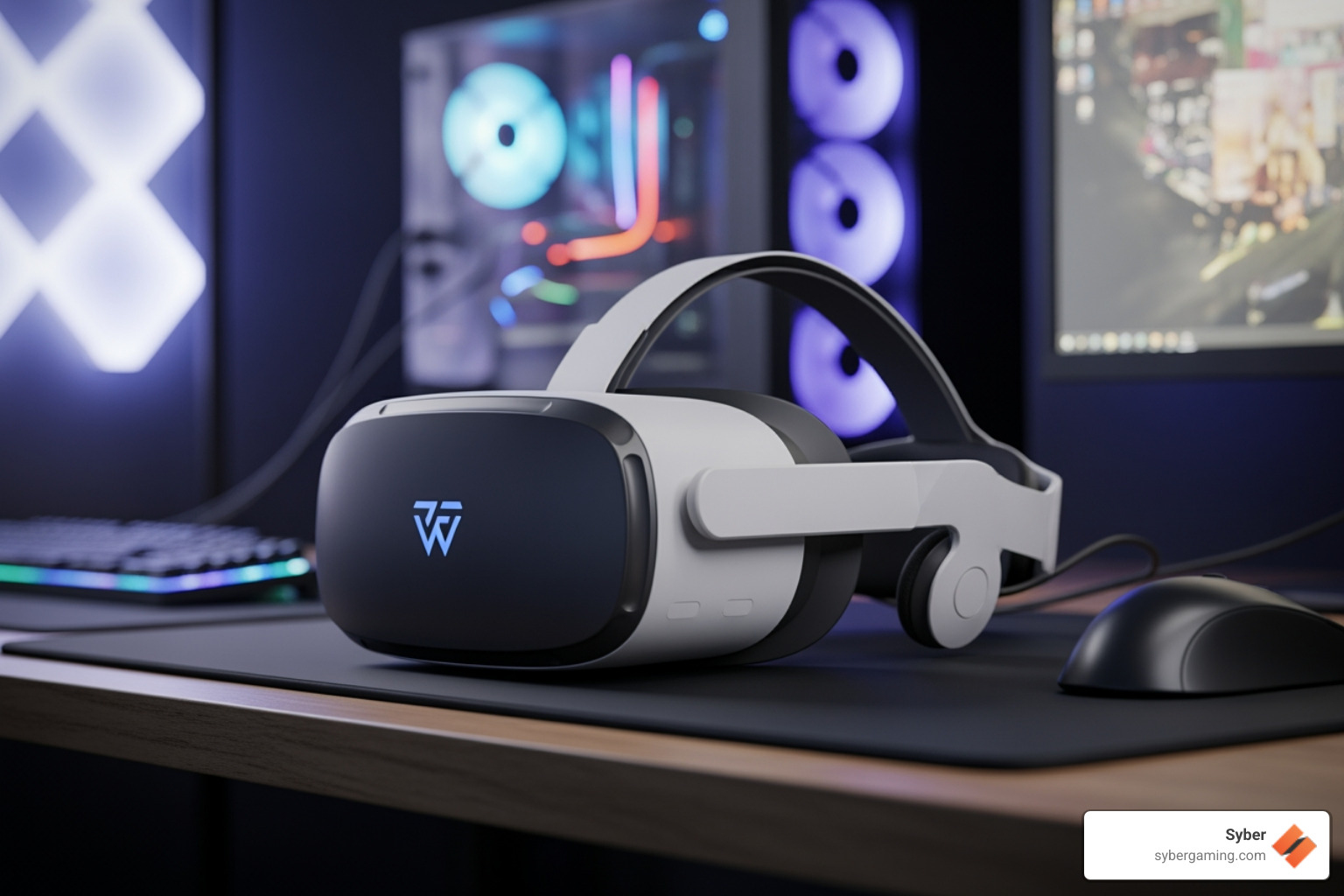
Finding a cheap good vr headset for pc does not mean you have to settle for a poor experience. Virtual reality technology has become more accessible than it was in the early days of the industry. You can now obtain a solid headset without spending a large amount of money. The primary challenge is understanding which technical specifications are essential for a high-quality experience and which features are simply extra additions that increase the price. In the past, entering the world of virtual reality required a massive investment in both the headset and the computer. Today, the market has matured, allowing manufacturers to offer devices that balance performance and cost. This shift has opened the door for many people to enjoy immersive games and applications without breaking their budget.
Top Budget PC VR Headsets (Quick Answer):
- Meta Quest 3S - This is the best overall value for users who want a modern device. It works as a standalone unit and connects to a computer through a Link cable or a wireless connection. It uses the same powerful processor as more expensive models, ensuring that it can handle modern software with ease.
- HP Reverb G2 - This headset offers a high resolution of 2160x2160 per eye. It is an excellent choice for users who enjoy simulator games where visual clarity is the most important factor. It was developed in collaboration with industry leaders to provide a high-fidelity audio and visual experience.
- HTC Vive (Refurbished) - This is a classic device that uses external tracking sensors. It is often available at a low price on the used market and provides very accurate movement tracking. It is a durable option for those who do not mind a slightly more complex setup process.
- Pico 4 - This headset is known for being lightweight and using pancake lenses. It offers a strong wireless connection to a computer and a very clear image. The balanced design makes it comfortable for long sessions of play.
When you look for budget virtual reality options, you must consider the total cost of the entire system. This includes the price of the headset and the cost of ensuring your gaming pc high performance is sufficient to maintain stable frame rates. You should also account for basic accessories such as rechargeable batteries for the controllers and simple tools for managing cables so you do not trip during play. Many users forget that the computer is the engine of the experience. If the computer is not powerful enough, even the most expensive headset will not perform well. Therefore, balancing your spending between the hardware and the headset is the most effective way to get a good result.
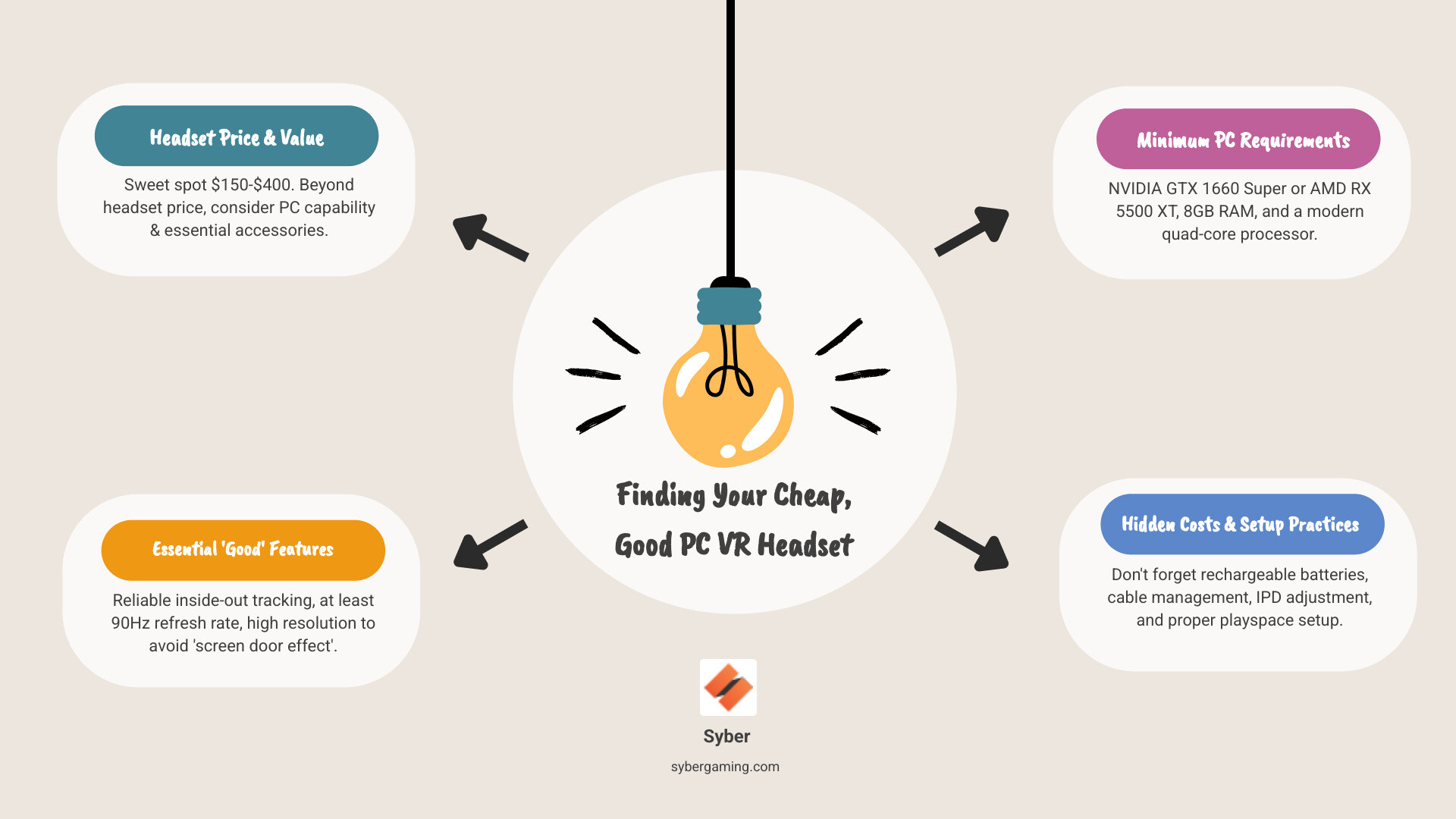
What makes a virtual reality headset good at a low price point? You should prioritize reliable tracking that does not lose your position. A refresh rate of 90Hz or higher is also important because it helps reduce the chance of feeling motion sickness. High resolution is another priority because it helps eliminate the screen-door effect, which is when you can see the gaps between the pixels on the display. You can usually compromise on the field of view, the quality of the built-in speakers, and premium features like eye tracking or face tracking. These features are interesting but are not necessary for a standard gaming experience. Focusing on the core pillars of tracking, refresh rate, and resolution will ensure you get the most value for your money.
Most affordable headsets available today use inside-out tracking. This means the cameras are located on the headset itself, so you do not need to set up external sensors around your room. Many of these devices connect to a computer using a standard USB-C cable or through a high-speed wireless network. This makes it easy to access the large library of games available on SteamVR without a complicated setup process. The convenience of inside-out tracking cannot be overstated, as it allows you to move your setup between rooms without having to recalibrate sensors every time. This flexibility is a major advantage for users with limited space or those who want a portable solution.
For most people, the best price range for a budget setup is between $150 and $400. If you spend less than this, you are often looking at headsets that use a phone for a screen, which do not provide a true computer-based experience. If you spend more, you are paying for premium features that are not necessary for a great first experience. Your computer is just as important as the headset. If you are looking for a pc pre built for gaming or planning to build high performance gaming pc hardware, you should aim for a dedicated graphics card like a GTX 1660 Super or an RX 5500 XT. You should also have at least 16GB of RAM and a modern processor with at least four cores. These components will provide a stable foundation for most virtual reality titles.
CTA: To find a smooth virtual reality experience without any confusion, you can view the VR-ready options and helpful guidance at https://www.sybergaming.com/vr-gaming
Cheap good vr headset for pc vocabulary:
Top Contenders for a Cheap, Good VR Headset for PC

When you are searching for a cheap good vr headset for pc, you generally have three different paths you can take. You can choose a modern standalone headset that also connects to a computer, a dedicated computer headset that focuses on visual clarity, or a used device from the secondary market where older high-end models are sold for low prices. Each of these paths has its own set of benefits and trade-offs. Standalone headsets offer the most versatility, while dedicated headsets often provide a more stable connection with less latency. Used devices can offer high-end features at a fraction of the original cost, provided you are careful about the condition of the hardware.
At Syber, the approach to virtual reality is straightforward. A headset is only as effective as the high performance gaming pc build that is powering it. If your computer cannot maintain a high frame rate, the image will look blurry and the movement will feel laggy. This can make the experience much less enjoyable. Whether you are looking at a gaming pc pre built or choosing to build your own, the goal is to achieve stable performance first and worry about high graphical settings later. A consistent frame rate is the most important factor in preventing discomfort and ensuring that the virtual world feels solid and responsive to your movements.
| Headset | Resolution (Per Eye) | Refresh Rate | Tracking Type | PC Connection |
|---|---|---|---|---|
| Meta Quest 3S | 1832 x 1920 | Up to 120Hz | Inside-Out | USB-C / Wi-Fi 6E |
| HP Reverb G2 | 2160 x 2160 | 90Hz | Inside-Out | DisplayPort |
| Pico 4 | 2160 x 2160 | 90Hz | Inside-Out | USB-C / Wi-Fi |
| HTC Vive | 1080 x 1200 | 90Hz | External Lighthouses | HDMI / USB |
Best Overall Value: Meta Quest 3S
The Meta Quest 3S is a very easy recommendation for anyone who wants a cheap good vr headset for pc. It is a flexible device that allows you to play games directly on the headset when you have a short amount of time, or connect it to a high performance desktop pc when you want to play more demanding games. It supports a refresh rate of up to 120Hz, which makes movement look very smooth. The tracking is reliable and the setup process is very fast because you do not need to mount any sensors on your walls. This makes it a great choice for people who have limited space. The ability to use a single cable for both data and power simplifies the user experience significantly, making it accessible for beginners.
Sharpest Image for Sim Fans: HP Reverb G2
If you enjoy flight simulators or racing games, the resolution of the screen is very important. You need to be able to read the small text on a cockpit dashboard and see details in the distance. The HP Reverb G2 is an excellent choice for these types of games because it offers a resolution of 2160x2160 per eye. It connects to your computer through a DisplayPort cable, which ensures the signal is clean and there is no delay. While the tracking of the hand controllers is not as good as some other models for fast-paced games, it is a perfect match for seated simulator play. The high-quality speakers included with this headset also provide an immersive audio experience that complements the sharp visuals.
The Lightweight Alternative: Pico 4
The Pico 4 is another strong contender in the budget market. It uses pancake lenses, which are thinner and lighter than the lenses found in many older headsets. This makes the device more comfortable to wear for long periods. It also has a balanced design with the battery located at the back of the head strap. This prevents the headset from feeling too heavy on the front of your face. It offers a high resolution and works very well with a wireless connection to your computer. The software interface is clean and easy to navigate, and the controllers are designed to be ergonomic for various hand sizes. This headset is a great alternative for those who want a modern design without a high price tag.
The Most Affordable Route: Used or Refurbished Equipment
You do not always need the newest technology to have a good experience. A used HTC Vive kit can often be found for a very low price. While the resolution is lower than modern headsets, the tracking system is still considered one of the most accurate in the industry. When you are buying a used headset, you should check the lenses for any scratches, as these cannot be fixed. You should also test the buttons on the controllers and inspect the cables for any signs of damage. Pairing a used headset with a sensible gaming pc pre built can be a very smart way to start your journey into virtual reality without spending too much money. Many enthusiasts still prefer the lighthouse tracking system for its precision in room-scale environments.
CTA: If you need help choosing a computer that is ready for virtual reality, you can check the guidance and options at https://www.sybergaming.com/vr-gaming
Maximizing VR Performance: AI Gaming PC Meets Your Budget Headset
A budget headset is only as effective as the high performance desktop pc that is running the software. To get the best results from a cheap good vr headset for pc, you should focus on maintaining a smooth frame rate and using the correct settings. This is where an AI gaming PC can be very helpful. These systems use advanced technology to improve frame rates and maintain stability without requiring you to manually adjust every setting. By using intelligent algorithms, these computers can predict and manage the workload of the game, ensuring that the most important visual elements are prioritized. This results in a more consistent experience that feels natural and immersive.
Build High Performance Gaming PC Hardware That Holds 90+ FPS
Virtual reality feels best when your computer can maintain a steady 90 frames per second. If the frame rate drops, it can cause the image to stutter, which often leads to discomfort. Whether you decide to build high performance gaming pc parts yourself or purchase a high performance custom prebuilt gaming pc, you should focus on several key components. The graphics card should be an RTX 3060 or a similar model to provide a strong baseline for performance. You also need a modern processor to handle the physics of the game and the tracking data from the headset. Having 16GB of RAM is the standard for smooth loading and AI multitasking. You should also ensure your system has strong air-flow cooling to prevent the components from getting too hot during long sessions. The Syber M-Series is designed with this type of cooling in mind, ensuring that your hardware remains stable even under heavy loads.
AI-Powered Gaming and AI Graphics Rendering for VR
Modern performance in virtual reality is no longer just about raw power. AI gaming technology like NVIDIA DLSS or AMD FSR can improve your frame rates by rendering the image at a lower resolution and then using artificial intelligence to upscale it. In a virtual reality environment, this can be the difference between a choppy image and a smooth experience. AI graphics rendering helps you reach your target frame rate without having to turn your graphical settings to the lowest level. AI-enhanced visuals keep the image looking sharp even when there is a lot of action on the screen. These AI-driven performance features reduce the small stutters that can cause motion sickness. Newer graphics cards with dedicated AI cores are much more efficient at these tasks, which gives you more room to use higher refresh rates and better textures.
AI System Optimization and Setup Basics
A reliable AI gaming setup is also about consistency. AI system optimization features can help manage your computer's resources. This prevents background applications from taking power away from your game while you are playing. For people who use their computer for both work and play, AI PC security is also important. It keeps your system protected so that security scans do not start in the middle of a game and cause the performance to drop. When you are choosing AI PC components, you should look for parts that work well together. This means balancing the power of your processor and your graphics card so that one does not slow down the other. You should also practice good habits, such as keeping your drivers updated and using a dedicated USB port for your headset. Proper cable management and a clean play area will also contribute to a better overall experience.
Hidden Costs and Final Considerations
Buying the headset is only the first step in the process. You should also consider the smaller costs that can impact your experience. Rechargeable batteries are a very good investment because virtual reality controllers can use a lot of power. If your headset uses a cable, you should look into simple cable management solutions to keep the wires off the floor. It is also important to adjust the IPD, which is the distance between the lenses, to match the distance between your eyes. If this is not set correctly, the image will look blurry and you may get a headache. Finally, make sure you have a clear space to play in and that your room has enough light for the headset's cameras to track your movement correctly. Taking the time to set up your physical environment is just as important as configuring your software.
Choosing Between Custom and Prebuilt Systems
If you enjoy working with hardware, custom build gaming pcs are a great way to get the exact combination of parts you want. If you prefer a simpler approach, pre built gaming computers can save you a lot of time and reduce the amount of setup required. Either way, the goal is to have a stable system that is an AI-ready gaming PC. If you are looking for a gaming pc pre built, you should ensure it has enough power for the resolution of your headset and that it offers a path for future upgrades. A pre built gaming pc customizable model is often the best choice because it allows you to select the specific components that fit your budget and your needs. This flexibility ensures that your system can grow with you as your interest in virtual reality expands.
Social Caption:Are you looking for a cheap, good VR headset for PC? You can find the best budget picks and tips for setting up an AI gaming PC to ensure a smooth experience on a high performance desktop pc. https://www.sybergaming.com/vr-gaming
CTA:If you are ready to improve your virtual reality setup, you can explore the high performance custom prebuilt gaming pc options and expert guidance at https://www.sybergaming.com/vr-gaming


.svg)

