


The Blueprint for a Pro Stream
Professional Twitch streamer setups are the secret behind the flawless broadcasts of top creators. While setups range from budget-friendly to premium rigs, a quality configuration is what separates a smooth stream from a laggy one. Your hardware and software directly impact how viewers experience your content, and poor quality will send them clicking away.
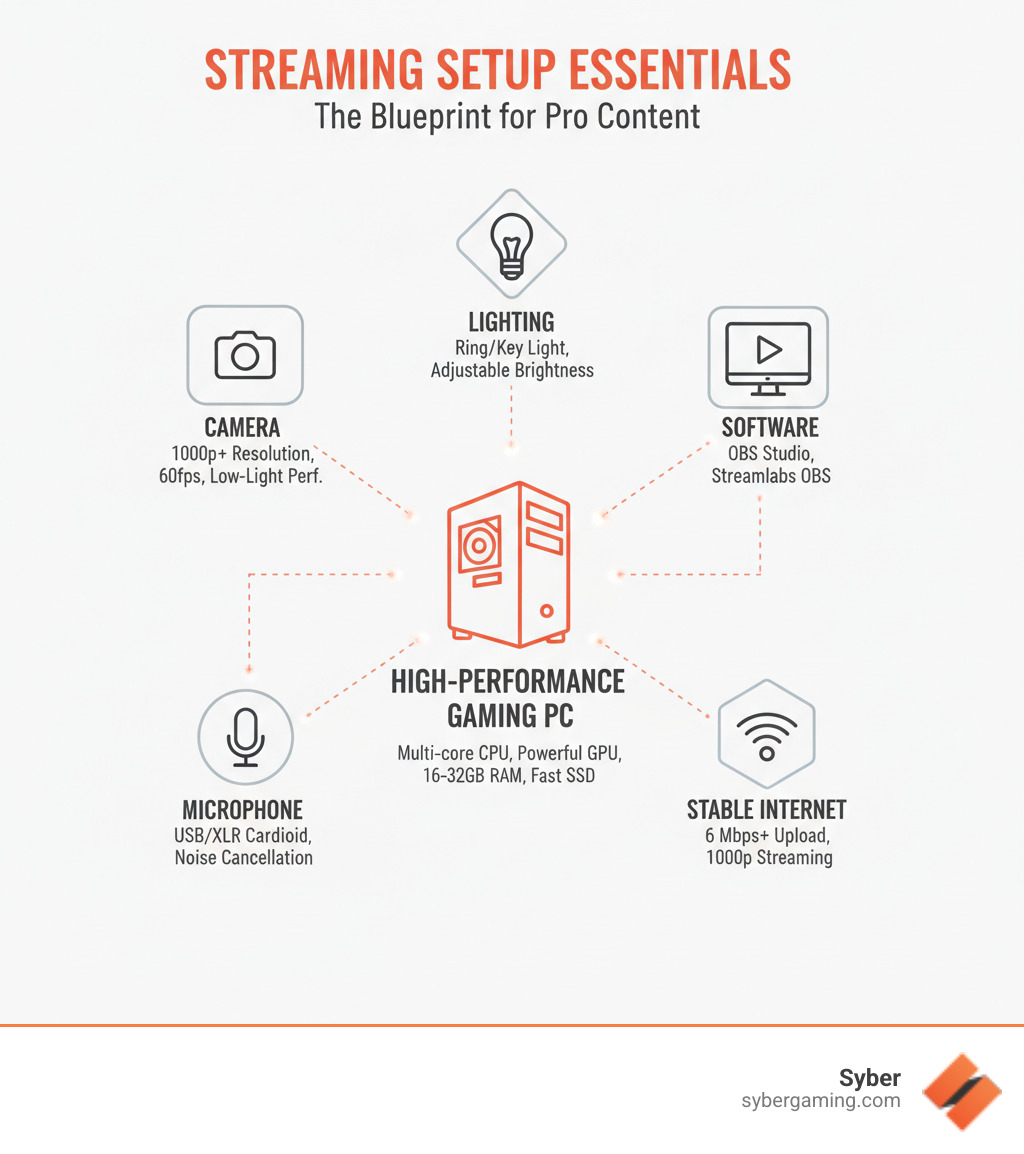
Here's what most streamers need to get started:
- High-Performance Gaming PC: Multi-core CPU, powerful GPU, 16-32GB RAM, fast SSD
- Camera/Webcam: 1080p minimum resolution, 60fps
- Microphone: USB or XLR with a cardioid pattern
- Lighting: Ring light or key light
- Software: OBS Studio or Streamlabs OBS
- Stable Internet: Minimum 6 Mbps upload speed
The good news is you don't need a massive budget to begin. Many creators start with basic gear and upgrade as their channel grows. The key is understanding which components matter most. Your gaming PC is the foundation, handling the game, encoding, and overlays simultaneously. Pairing a solid PC with good audio and video gives you a huge head start.
The Core Components of Pro Twitch Streamer Setups
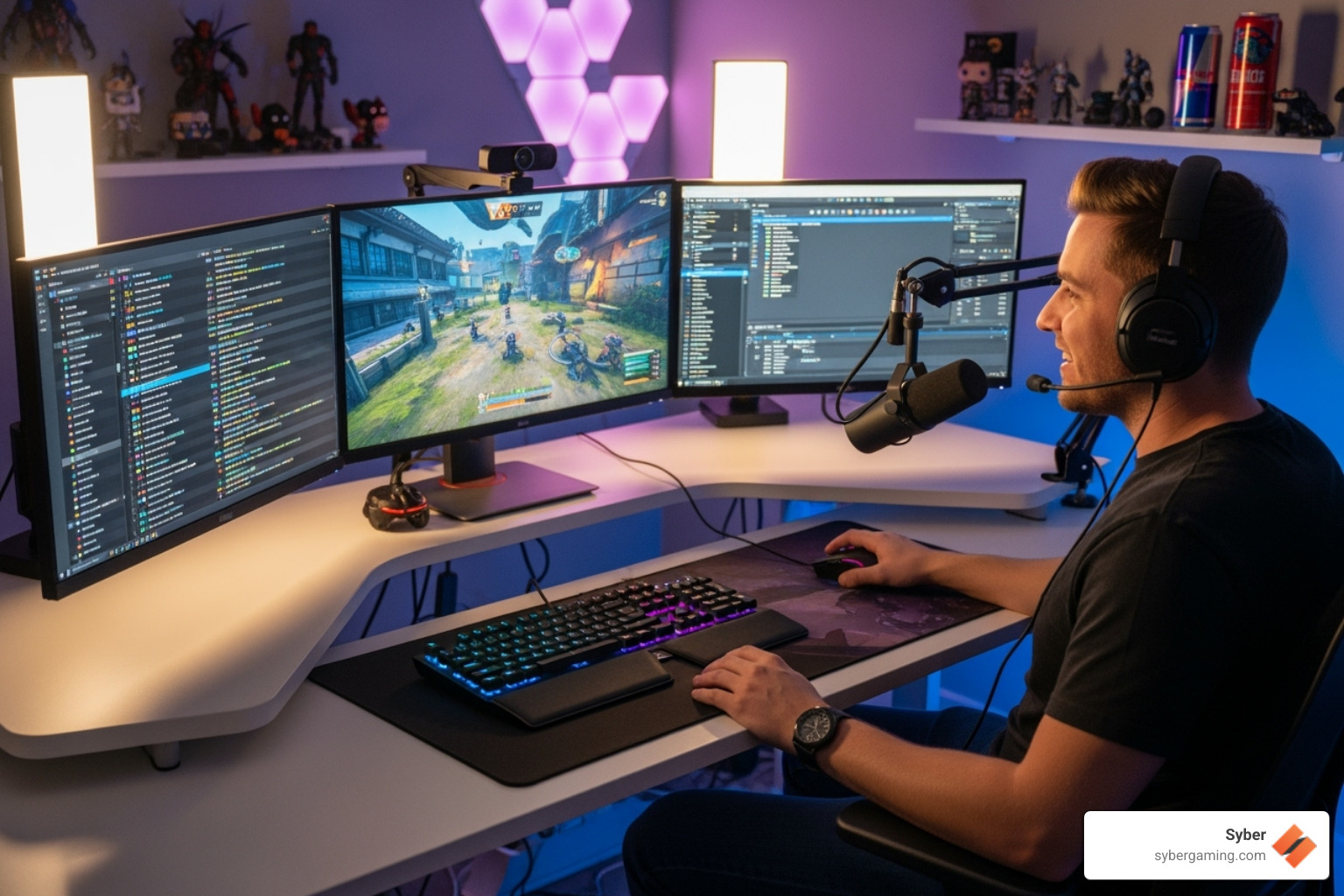
Behind every effortless-looking stream is a set of carefully chosen components working in harmony. While a gaming streamer might prioritize a high-refresh-rate monitor, a creative streamer may focus on a high-resolution camera. The key is understanding that quality makes a difference. Crisp video, clean audio, and smooth framerates tell your audience you're serious about your content and build trust with your community. Investing in reliable, high-performance equipment from the start saves you from troubleshooting during a live broadcast.
The Heart of the Stream: A High-Performance Custom Prebuilt Gaming PC
Your PC is the engine of your stream, simultaneously running your game, encoding video, and managing overlays. A high performance gaming pc build is essential for this heavy lifting.
- CPU: A multi-core processor like an Intel Core i9 14900F or AMD Ryzen 9 7950X3D is crucial for multitasking. Your game, streaming software, and background applications all compete for processing power. With more cores, your PC can better dedicate resources to each task, preventing in-game stuttering or a laggy stream for your viewers.
- GPU: A powerful graphics card like an NVIDIA RTX 4080 SUPER not only renders game visuals but also handles stream encoding using dedicated hardware (like NVENC), freeing up your CPU. This is because the encoder is a separate part of the GPU chip. It handles the intense process of compressing your gameplay video with very little impact on your gaming frame rates, a significant advantage over using your CPU for the same task.
- RAM: While 16GB is a start, 32GB of DDR5 RAM provides the headroom needed for demanding games and multiple applications. Modern games are memory-intensive, and when you add broadcasting software, a web browser for chat, Discord, and other tools, 16GB can be quickly consumed. Upgrading to 32GB ensures you have plenty of available memory, preventing system-wide slowdowns that could interrupt your broadcast.
- Storage: A fast NVMe SSD cuts down on loading times for games and software, keeping your stream professional and free of delays.
Modern high performance desktop PCs also leverage artificial intelligence. An AI gaming PC uses AI system optimization to dynamically adjust settings for better frame rates and stream quality. This AI-driven performance extends to features like smart cooling systems, which manage fan speeds to keep your PC cool and quiet.
For those deciding whether to build high performance gaming pc or buy pre-built, a pre built gaming pc customizable to your needs offers a great balance. It saves you from the DIY Dangers of assembly and compatibility issues, giving you a tested, AI-ready gaming PC that works perfectly out of the box.
Crystal Clear Audio and Video for Twitch Streamer Setups

After sorting your PC, focus on how your audience sees and hears you. Poor audio or grainy video can ruin even the best content.
- Camera: A quality webcam is your visual connection to the audience. Aim for at least 1080p resolution at 60fps for smooth video, and prioritize good low-light performance. Cameras like the Logitech Streamcam or Insta360 Link are popular choices.
- Microphone: Audio quality is often more critical than video. A USB microphone is a great starting point, offering simple plug-and-play setup. For those seeking more control, an XLR microphone connected to an audio interface provides higher quality and flexibility. Look for a mic with a cardioid polar pattern, like the Blue Yeti or Shure MV7+. This pattern is designed to capture sound directly in front of it while rejecting noise from the sides and rear, which is perfect for isolating your voice from the clicks of your keyboard and mouse.
- Lighting: Good lighting is the difference between amateur and professional video. Even a simple ring light or a key light like the Elgato Key Light will eliminate grainy footage and ensure you are clearly visible. A basic three-point lighting setup can create a polished look with depth. This involves a key light (your main light source), a fill light (a dimmer light to soften shadows on your face), and a backlight (placed behind you to create separation from your background).
Peripherals for Peak Performance in High Performance Gaming PC Builds
The right peripherals improve your efficiency and comfort, allowing you to stream for longer and interact more easily with your audience.
- Dual Monitors: Use one monitor for your game and a second for your stream chat and controls. This setup is a game-changer because it allows you to interact with your community and manage your broadcast without interrupting gameplay. Instead of constantly pausing or alt-tabbing to read chat, you can keep your game on your primary monitor while your streaming software, chat window, and alerts are always visible on the second screen.
- Keyboard and Mouse: A durable mechanical keyboard and a responsive gaming mouse provide the precision and comfort needed for long sessions. Check out our guides on choosing a gaming mouse and gaming keyboard.
- Ergonomic Chair: Streaming is a marathon. A comfortable chair with good support is essential for preventing fatigue and maintaining good posture.
- Stream Controller: Devices like the Elgato Stream Deck let you switch scenes, play sounds, and manage your stream with the push of a button, adding a layer of professional polish.
Essential Software for a Seamless Broadcast
Hardware is the foundation, but software brings your stream to life by managing your video, audio, and interactive elements.
- Broadcasting Software: This is your command center. OBS Studio is a powerful, free option with deep customization, while Streamlabs OBS offers a more user-friendly experience with integrated tools. Other options like XSplit are also popular.
- Audio Mixers: Tools like Voicemeeter allow you to balance your mic, game audio, and music so your voice is always clear.
- Chat Bots & Overlays: Services like StreamElements automate chat moderation and provide professional-looking overlays and alerts for followers and subscribers.
- Platform Settings: Ensure your settings match your platform's requirements. For 1080p streaming on Twitch, you'll need at least 6 Mbps upload speed. Learn more about what resolution to stream at to optimize your broadcast.
Customizing Your Twitch Streamer Setup for Your Brand
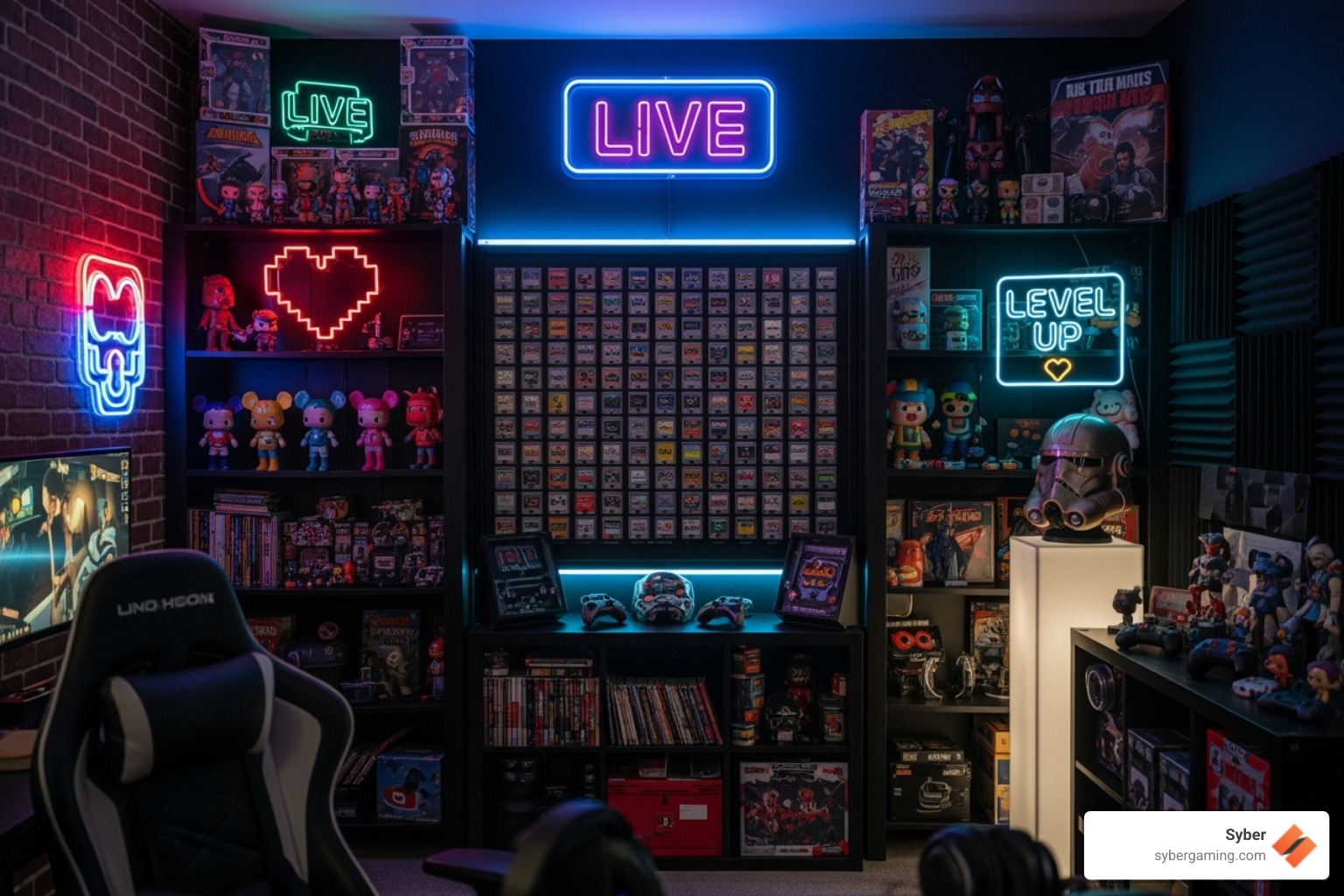
Your setup is an extension of your brand. A unique environment helps turn casual viewers into a loyal community.
- Background: A personalized physical background with collectibles, art, or themed decor adds more character than a green screen. Use what you already have to show off your personality.
- Lighting: Use RGB lighting to create a mood. Synchronize colors to in-game actions or stream alerts to make your broadcast more dynamic and memorable.
- Graphics: Custom overlays, alerts, and widgets with your brand colors and logo create a consistent, professional look.
- Interactivity: Engage your viewers with custom chat bot commands, unique emotes, and channel point redemptions that trigger on-screen effects.
Consistency across these elements builds brand recognition and helps your audience feel connected to your content.
Building Your Epic Setup
Creating a professional Twitch streamer setup is about making smart choices that improve your content. You don't need to buy everything at once; start with the essentials and upgrade as your channel grows.
Your most critical investment is a high-performance custom prebuilt gaming PC. This machine is the heart of your operation, handling gameplay, encoding, and more without a hitch. A powerful CPU and GPU, ample RAM, and a fast SSD form a reliable foundation. Modern AI gaming PCs further improve this with AI system optimization and AI cooling solutions for peak performance during long streams.
Once your PC is ready, focus on clear audio, good lighting, and quality peripherals to create a professional viewer experience. A polished stream signals that you're serious about your content and helps you build a loyal community.
Ready to build the foundation for your streaming career? Syber's M-Series high performance desktop PCs are rigorously tested and designed for the demands of streaming.
Explore our M-Series custom gaming PCs
For more guidance, check out What to Consider When Buying a Gaming PC and learn about the DIY Dangers of building your own system.


.svg)

