

Why Go Low-Profile? The Rise of the Slim Mechanical Keyboard
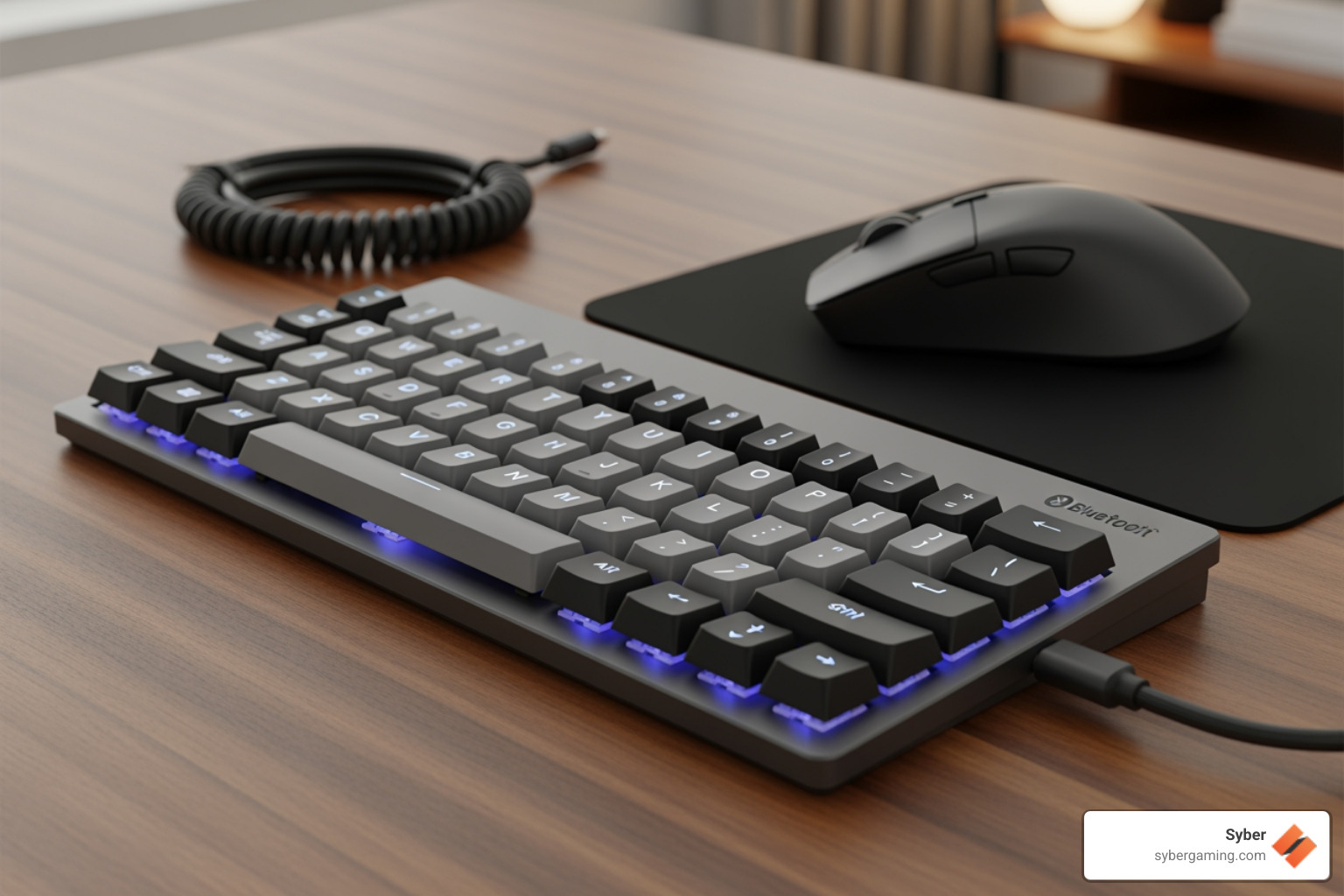
Low profile mechanical keyboard Bluetooth models blend the satisfying feel of mechanical switches with wireless convenience and a sleek design. They have become a popular choice for gamers, writers, and professionals alike. These keyboards represent a significant evolution in design, merging the best attributes of traditional mechanical boards with the slim form factor of modern office peripherals. Here's what makes them stand out:
Top Features:
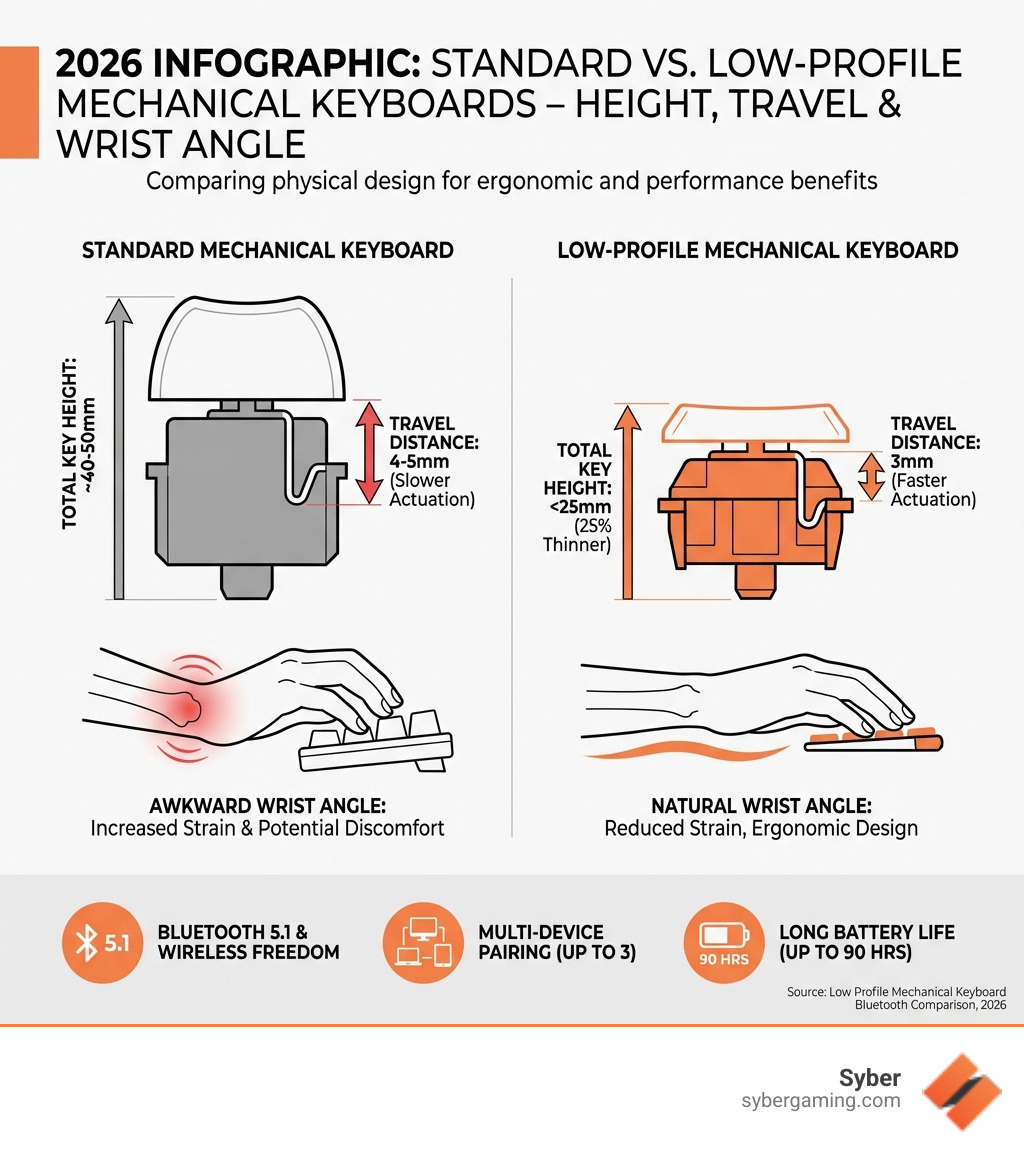
- Ergonomic Design - Up to 25% thinner than standard keyboards for reduced wrist strain.
- Faster Actuation - Shorter key travel means quicker response times for typing and gaming.
- Wireless Freedom - Bluetooth 5.1 with multi-device pairing for seamless workflow.
- Long Battery Life - Often 30-40 hours with backlighting, and much longer without.
- Compact Build - Frees up valuable desk space for mouse movement and a cleaner look.
The mechanical keyboard world has evolved. What used to mean thick, heavy boards now includes slim designs that fit in your backpack. These keyboards solve the wrist ache that can come from the awkward upward angle of taller keyboards. They keep everything users love about mechanical switches—tactile feedback, durability, precision—in a package that’s comfortable for long sessions. Their slim profile, often under 25mm, allows your hands to rest in a more natural, neutral position, reducing the need for a separate wrist rest and minimizing the risk of repetitive strain injuries.
Ergonomics and Portability
The main appeal of a low profile mechanical keyboard Bluetooth setup is comfort. By reducing the keyboard's height, these designs allow your hands to rest in a natural, flatter position, which can reduce wrist strain and finger fatigue. For gamers, this means longer, more comfortable sessions without the discomfort that can build up over time. The slim design also makes these keyboards incredibly portable. They easily slip into a backpack alongside a laptop, making them ideal for a mobile setup, a LAN party, or simply moving between a home office and a corporate one.
Beyond portability, a low-profile keyboard creates a cleaner desk. With less bulk, there’s more room for wide mouse movements—a critical advantage in competitive gaming where precision aiming is key. This streamlined aesthetic contributes to a more organized and visually appealing workspace, perfectly complementing a high performance gaming PC by maintaining a modern and uncluttered look.
Low-Profile vs. Standard: What's the Real Difference?
The biggest distinctions between low-profile and standard mechanical keyboards are their physical design and typing feel. Low-profile switches have a shorter total travel distance (around 3.0-3.2mm vs. 4.0mm) and a lower actuation point (the depth at which a keypress is registered, often 1.0-1.5mm vs. 2.0-2.2mm). This means less finger movement is needed to register a keystroke, leading to faster actuation. This can provide a competitive edge for gamers and increase words-per-minute for typists.
Here is a quick comparison:
| Feature | Standard Mechanical Keyboard | Low Profile Mechanical Keyboard |
|---|---|---|
| Keyboard Height | 35-40mm (approx.) | 22-26mm (approx.) |
| Key Travel | 4.0mm | 3.0-3.2mm |
| Actuation Point | 2.0-2.2mm | 1.0-1.5mm |
| Ergonomics | Can cause wrist bend | Flatter wrist angle, reduced strain |
| Portability | Bulkier, less portable | Slimmer, highly portable |
| Switch Types | Various standard switches | Specialized low-profile switches |
| Acoustics | Can be louder | Often quieter with a more controlled sound |
Modern low-profile keyboards also feature advanced internal engineering, such as sound-dampening foam and gasket mount systems. These features absorb vibrations and impact from keystrokes, creating a quieter, more pleasant acoustic experience. This makes them suitable for shared workspaces, quiet home offices, or late-night gaming sessions where you don't want to disturb others. The choice ultimately comes down to personal preference for feel, ergonomics, and portability. For a deeper dive, check out these 5 advantages of a mechanical gaming keyboard.
Your Guide to Choosing the Best Low Profile Mechanical Keyboard Bluetooth

Selecting the ideal low profile mechanical keyboard Bluetooth involves balancing features with your personal needs. A great keyboard should feel like an extension of your hands—responsive and reliable. Whether you're aiming for peak performance in an AI-improved gaming session or need a dependable tool for work, the right choice can significantly impact your efficiency and comfort. A well-made keyboard is an investment in your daily interaction with your computer. For a high-quality option, consider the Syber K1 Pro Wireless Low Profile Mechanical Keyboard.
Core Features to Look For: From Switches to Battery Life
When choosing a low profile mechanical keyboard Bluetooth model, a few core features define its performance and user experience. Understanding these will help you make an informed decision.
Connectivity: Look for tri-mode connectivity for maximum flexibility. This includes Bluetooth 5.1 for stable, power-efficient pairing with multiple devices like your laptop and tablet; 2.4GHz wireless via a USB dongle for low-latency gaming; and a USB-C wired connection for charging or a lag-free link. The 2.4GHz connection is critical for competitive gaming, as it offers a polling rate and response time nearly identical to a wired connection. Bluetooth is better suited for productivity, allowing you to switch between devices with a simple key combination.
Battery Life: A crucial factor for wireless use. Premium models offer 30-40 hours of use with backlighting on, extending to 90 hours or more with it off. A large battery capacity (e.g., 2500mAh or more) ensures your keyboard can last through several days of heavy use without needing a charge, reducing interruptions to your workflow or gaming.
Build Quality: Materials play a vital role in longevity and feel. Aluminum frames provide rigidity, a premium look, and a solid typing foundation. PBT keycaps are a must-have feature, as they resist the shine that develops from finger oils over time. Unlike standard ABS keycaps, PBT keycaps maintain their textured finish, and their legends (the letters and symbols) are often made using a dye-sublimation or double-shot molding process, ensuring they will never fade or wear away. Higher-end models may feature gasket mount systems and multiple layers of sound-dampening foam to create a softer, quieter, and more consistent typing sound across the entire board.
These features ensure your keyboard is a durable and premium component of your high performance custom prebuilt gaming PC setup.
Tailoring for Your Needs: Gaming vs. Professional Use
The versatility of a low profile mechanical keyboard Bluetooth allows it to serve both competitive gamers and busy professionals. However, certain features are more beneficial depending on your primary use.
For gaming, the shorter key travel and faster actuation provide a clear edge for quicker reactions. In fast-paced FPS games, this can mean the difference in executing a counter-strafe or ability. In MOBAs and MMOs, it allows for faster spell and skill rotations. Keyboards designed for gaming often include:
- High polling rates (1000Hz) to ensure keystrokes are registered by the computer instantly.
- N-key rollover (NKRO) and anti-ghosting to guarantee every keypress is logged, even when multiple keys are pressed simultaneously during intense moments.
- Compact layouts (65% or 75%) to free up desk space for wide mouse movements, essential for players who use low mouse sensitivity for precise aiming.
For professional use, the focus shifts to productivity, comfort, and versatility:
- Multi-device connectivity is invaluable for switching between a laptop, desktop, and tablet, streamlining your workflow without re-plugging cables.
- Quiet operation, thanks to sound-dampening features and linear or tactile-quiet switches, is a major plus in shared workspaces or during video calls.
- Ergonomics from the flatter typing angle help prevent wrist strain during long workdays filled with writing, coding, or data entry.
- Mac compatibility, including dedicated keycaps for Command and Option keys, makes them a great choice for Apple users who want a mechanical feel without sacrificing usability.
Whether you're creating a custom build gaming pcs setup or optimizing a professional workspace, a well-chosen low-profile keyboard can be a game-changer.
Finding the Right Fit for Your Setup
With a clear understanding of the core features, you can find a low profile mechanical keyboard Bluetooth that perfectly matches your setup.
For a top-tier high performance desktop PC setup dedicated to gaming, prioritize models with the fastest connectivity and most durable components. Look for features like 2.4GHz wireless for low latency, hot-swappable switches to fine-tune your feel, and a sturdy aluminum frame. A compact layout will maximize your desk space for competitive play, ensuring your keyboard is a powerful part of your AI gaming PC.

For professional or hybrid use, focus on versatility and comfort. A keyboard with robust multi-device Bluetooth support, excellent battery life, and a quiet sound profile will improve productivity. Full Mac and Windows compatibility is also key for seamless integration into any work environment. These keyboards are designed to reduce fatigue and contribute to a clean, sophisticated workspace that promotes focus.
By matching these features to your primary needs, you can select a keyboard that not only performs well but also lifts your entire user experience. Explore versatile options like the Syber K1 SE Wireless Mechanical Keyboard and others at the Low Profile Mechanical Keyboard - Syber Store.
Complete Your High-Performance Setup
Integrating a low profile mechanical keyboard Bluetooth is about completing a high performance gaming PC build or creating an efficient, ergonomic workspace. The synergy between your keyboard and a custom-built gaming PC lifts the entire experience. Its responsiveness and comfort directly impact your gaming performance and daily productivity. Its sleek, wireless design contributes to a clean desk setup, reflecting the precision and power of your high performance custom prebuilt gaming PC.
Customization and Final Considerations
Modern low-profile mechanical keyboards offer extensive customization, allowing you to tailor the device to your exact preferences and ensure its longevity. This is a key advantage over non-mechanical or sealed keyboards.
Hot-swappable switches are a game-changer, letting you easily change switches without any soldering. You can experiment with different types—smooth linear switches for speed, or tactile switches for a satisfying bump—to find your perfect feel. This also future-proofs your keyboard. If a switch fails years down the line, you can simply pull it out and replace it in seconds, extending the life of your investment.
Programmable firmware, often supported by open-source tools like QMK/VIA, allows you to remap keys, create complex macros, and set up custom layers for different applications. For example, you could program a single key to open your most-used programs or execute a multi-step command in a design application. This level of personalization can significantly boost efficiency in coding, video editing, or gaming.
Custom keycaps offer another path for personalization. While many high-quality keyboards come with durable PBT keycaps, the aftermarket is filled with sets in various colors, profiles, and materials. This allows you to add a personal touch that matches your desk setup or expresses your style. Be sure to check for compatibility, as low-profile switches require keycaps with a specific stem design.
Layout is also a crucial consideration. Keyboards come in various sizes, from full-size with a number pad to compact 65% layouts that save space while retaining arrow keys. A Tenkeyless (TKL) layout removes the numpad but keeps the function row and navigation cluster, offering a balance of compactness and functionality. A 75% layout is even more compact, stacking the navigation keys vertically. Choose the one that best fits your workflow and desk space.
Before making a final decision, consider these aspects to ensure your chosen keyboard meets all your needs. Think about your primary operating system, your preferred switch type (linear, tactile, or clicky), and the layout that will best serve your daily tasks. A thoughtful choice here results in a peripheral that feels perfectly suited to you.
Ready to complete your high-performance gaming PC build? Check out our K1 Mechanical Keyboard.



.svg)

