


Why a Cherry MX Keyboard is a Gamer's Best Friend
If you're hunting for the best budget cherry mx keyboard, you're in the right place. Here's what you need to know right now:
Quick Answer: Best Budget Cherry MX Keyboards
- For General Use: Look for full-size or TKL keyboards with Cherry MX Brown switches (balanced feel for gaming and typing)
- For Gaming: Cherry MX Red switches offer smooth, linear action without the click
- For Quiet Operation: Cherry MX Silent Red switches reduce noise without sacrificing performance
- For Wireless Freedom: Expect to pay a premium, but you'll find options with Bluetooth and 2.4GHz connectivity
- Typical Entry Price: Budget options typically start around $65-70 for genuine Cherry MX switches
You don't need to spend a fortune to get the legendary feel of Cherry MX switches. Rated for up to 100 million keystrokes, they offer consistent feedback that can make a real difference in your gaming and typing. While many Cherry MX keyboards cost $100 or more, the market now has budget-friendly options that deliver the same core experience without the premium markup.
In this guide, we'll break down what to look for to find a Cherry MX keyboard that won't drain your wallet.
Best budget cherry mx keyboard terms to know:
Cherry MX switches are the benchmark for quality. Unlike membrane keyboards, each switch has a spring-loaded mechanism for superior feedback and a long lifespan (50+ million keystrokes). This quality means genuine Cherry MX boards typically start around $65-$70.
Understanding Switch Types: Linear, Tactile, and Clicky
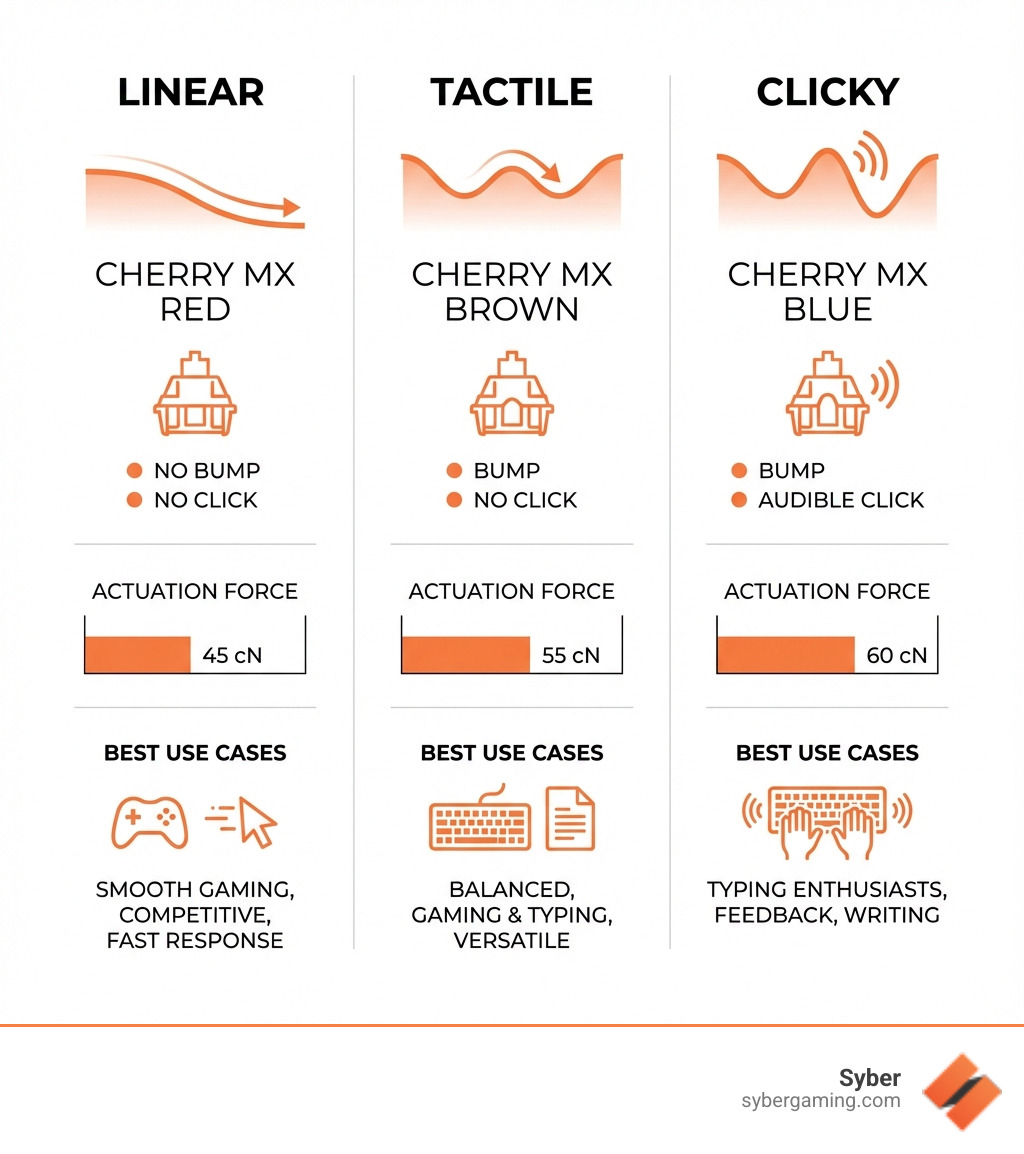
Cherry MX switches use a color-coded system to denote their feel and sound. Understanding these is key to choosing the best budget cherry mx keyboard.
- Cherry MX Red (Linear): Smooth and consistent, with no bump or click. Ideal for gaming.
- Cherry MX Brown (Tactile): A quiet tactile bump indicates actuation. Great for users who split time between typing and gaming.
- Cherry MX Blue (Clicky): Provides both a tactile bump and an audible click. Favored by typists but can be loud.
Specialized switches like MX Silent Red also exist for noise-sensitive environments. For a deeper dive, check out our Ultimate Gaming Keyboard Guide.
Key Factors for Your Best Budget Cherry MX Keyboard
When searching for a budget board, consider these factors:
- Form Factor: The keyboard's size. Full-size includes a numpad, Tenkeyless (TKL) removes it for more mouse room, and 60% layouts are ultra-compact.
- Build Quality: Look for a sturdy plastic case with minimal flex or a metal top plate for durability.
- Keycap Material: Keycaps are usually ABS (affordable but can get shiny) or PBT (more durable and shine-resistant). PBT is a significant upgrade.
- Connectivity: Most budget keyboards are wired (USB) for reliability and low latency, essential for a high performance custom prebuilt gaming pc. Wireless options usually cost more.
For more insights, check out our article on the K1 Mechanical Keyboard.
Finding the Best Budget Cherry MX Keyboard for You
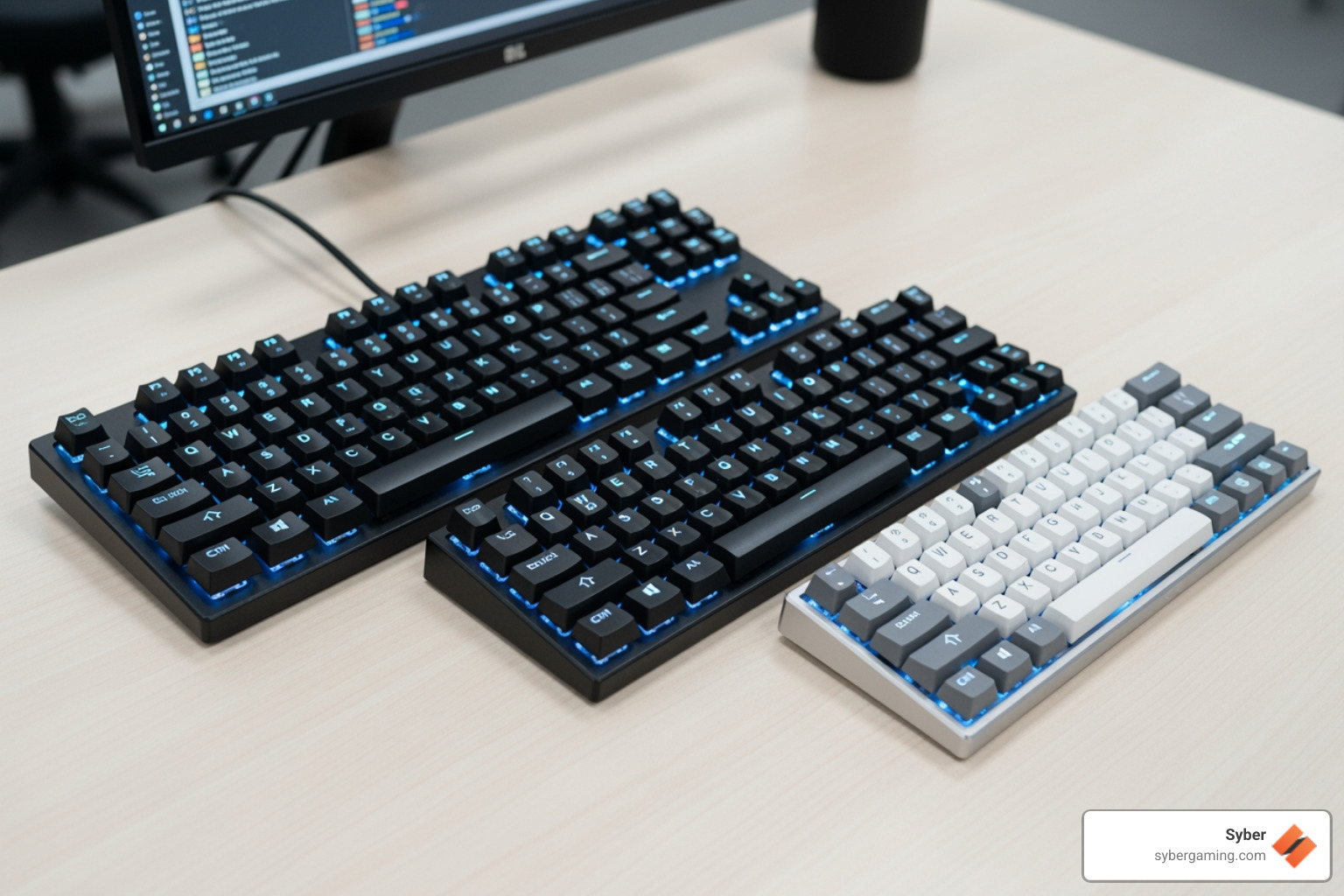
Finding the perfect best budget cherry mx keyboard involves balancing features with your wallet. While "budget" for genuine Cherry MX typically means under $100, you can still find excellent value by focusing on the features that matter most to you.
What to Look For Based on Your Needs
Instead of focusing on specific brands, here’s what to look for in a budget Cherry MX keyboard based on your primary use case.
For General Use & Multitasking:A keyboard with Cherry MX Brown switches is a fantastic all-rounder, providing tactile feedback for typing without being too loud for gaming. Look for a full-size or TKL layout that includes dedicated media keys or a volume roller. These features are incredibly convenient for everyday use and for those who enjoy AI multitasking while gaming.
For Quiet Operation:If you're in a shared space or just prefer silence, seek out keyboards with Cherry MX Silent Red switches. They contain a unique damping mechanism that muffles typing sounds. As a DIY alternative, you can add rubber O-rings to the stems of regular switches to dampen the sound when you bottom out the keys.
For a White-Themed Setup:To achieve a clean, white aesthetic, look for keyboards with a white case and keycaps. Many are available in compact 60% or TKL form factors. Prioritize models with good build quality, like a metal top plate, and double-shot keycaps, which ensure the legends won't fade over time and contribute to a premium look without the premium price.
These guidelines will help you find a keyboard that delivers the core promise of a superior typing and gaming experience without the high cost associated with premium models.
Going Wireless: Connectivity and Battery Considerations
For users who want a cable-free AI gaming setup, wireless Cherry MX keyboards are a great option. However, budget-friendly choices are less common.
Wireless keyboards use two main connection types:
- Bluetooth: Offers broad compatibility but can have slightly more input lag, which may be a concern for competitive gamers.
- 2.4GHz Wireless (with USB dongle): Generally provides lower latency, making it better for gaming.
The price premium for wireless functionality means budget options are scarce. If wireless is a must-have, you may need to increase your budget slightly. Always check the expected battery life and whether the keyboard is rechargeable or uses disposable batteries.
For more information on new editions of gaming keyboards, explore our K1 Gaming Keyboard New Editions.
Is a Budget Cherry MX Board Worth It for a High-Performance Gaming Setup?

Is a best budget cherry mx keyboard worth it when you're planning a high performance gaming pc build or picking out a gaming pc high performance rig? The keyboard is one of the main ways you interact with your system, so it should match the power of your setup.
Cherry MX vs. The Alternatives: A Budget Dilemma
In the budget space, Cherry MX competes with brands like Gateron, Kailh, and Outemu. Here's how they stack up for a modern AI gaming setup:
- Performance & Durability: Cherry MX switches are the benchmark for consistency and are rated for 50–100 million keystrokes. While competitors also offer high durability, Cherry's long-standing reputation is a major draw for serious PC gamers.
- Price & Features: This is where alternatives shine. Keyboards with non-Cherry switches are often more affordable and may include extras like hot-swappable sockets or PBT keycaps at a lower price.
Why Choose Cherry MX on a Budget?
- Proven Reliability: You're buying into a legacy of quality and consistency that can keep up with a high performance desktop pc used for AI-powered gaming and long work sessions.
- Customization: The Cherry MX stem is the standard, giving you a huge selection of aftermarket keycaps and letting you match your board to any AI-ready gaming PC aesthetic.
The Trade-Offs:
- Higher Cost: Genuine Cherry MX boards usually start around $65–$70.
- Fewer Frills: To keep costs down, budget Cherry MX boards may skip features like full-per-key RGB or hot-swap capability that some pre built gaming computers include.
If proven reliability is your top priority, a budget Cherry MX keyboard is a solid investment. If you want more features for your money and don't mind non-Cherry switches, alternatives are worth a look.
How a Good Budget Cherry MX Keyboard Supports AI-Enhanced Gaming
When you build high performance gaming pc systems or shop for a high performance custom prebuilt gaming pc, it's easy to focus only on the GPU and CPU. But a responsive keyboard matters just as much for your actual in-game performance and workflow.
For AI-enhanced gaming and AI graphics rendering, your system may already use:
- AI-powered graphics features like DLSS or FSR-style upscaling
- AI system optimization tools that balance performance and thermals
- AI-driven performance tuning for fan curves and CPU/GPU clocks
A reliable Cherry MX keyboard pairs well with these advanced features by giving you:
- Consistent inputs in competitive shooters and MOBAs
- Comfortable typing for work, content creation, or AI research
- A durable feel that matches the quality of your AI gaming PC
Many modern AI gaming technology features are built into pre built gaming pc customizable systems and pc pre built for gaming options, so you can enjoy AI gaming performance right out of the box without building everything from scratch.
Cherry MX Keyboards and Custom Build Gaming PCs
If you're into custom build gaming pcs, pairing a budget Cherry MX keyboard with a powerful tower is a smart way to stretch your budget:
- Put more money into core AI PC components like GPU, CPU, and NVMe SSDs
- Choose a sturdy, no-nonsense Cherry MX board for long-term reliability
- Keep room in your budget for future upgrades like extra RAM or storage
For buyers who prefer a ready-made rig, a gaming pc pre built or pc pre built for gaming with strong AI PC security, smart fan control, and solid airflow can still give you an AI gaming experience on par with a custom system. Combine that with a Cherry MX keyboard and you get:
- Fast reaction times in shooters and battle royales
- Confident key feel for rhythm games and MMOs
- A setup that feels cohesive and built for the long haul
Final Verdict: Best Budget Cherry MX Keyboard + High-Performance Gaming PC
Finding the best budget cherry mx keyboard means investing in the proven feel and durability of genuine switches without overspending. The entry price is a bit higher than some alternatives, but it often pays off in a reliable experience that matches a:
- High performance gaming pc build
- High performance custom prebuilt gaming pc
- AI-ready gaming PC used for both work and play
A solid keyboard is a crucial part of any Intelligent gaming PC or AI-driven gaming rig. It completes the picture alongside AI cooling solutions (through smart fan control and airflow), AI multitasking features in your OS, and advanced AI in gaming PCs that handle background tasks and game optimization.
If you're planning your next upgrade, think of your keyboard as a long-term partner for your AI-enhanced visuals and AI gaming performance, not just an afterthought.
At Syber, every high performance desktop pc we build is tuned for smooth AI-powered graphics, steady thermals with airflow-based cooling, and responsive gameplay. Pair one of our pre built gaming computers or gaming pc pre built systems with a solid Cherry MX keyboard and you’ll have a balanced, future-ready setup.
Ready to match a reliable keyboard with a powerful, AI-focused rig? Explore Syber's range of high performance custom prebuilt gaming pcs and accessories at https://www.sybergaming.com/k1-mechanical-keyboard and build the AI gaming setup that fits how you play and work.


.svg)

